ALPINE MULTIMEDIA SYSTEM
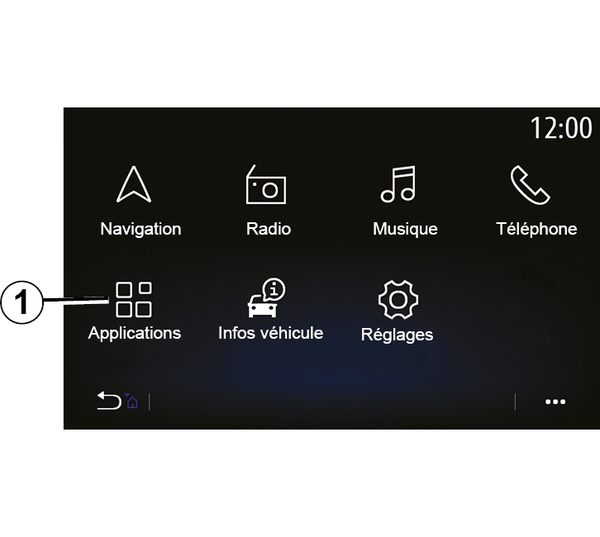
To access the Alpine Telemetrics application from the home screen, press "Applications" 1, then select Alpine Telemetrics.
Note:
- the availability of Alpine Telemectrics depends on the country where the vehicle is sold;
- the availability of Alpine Telemetrics depends on the equipment level of your vehicle.
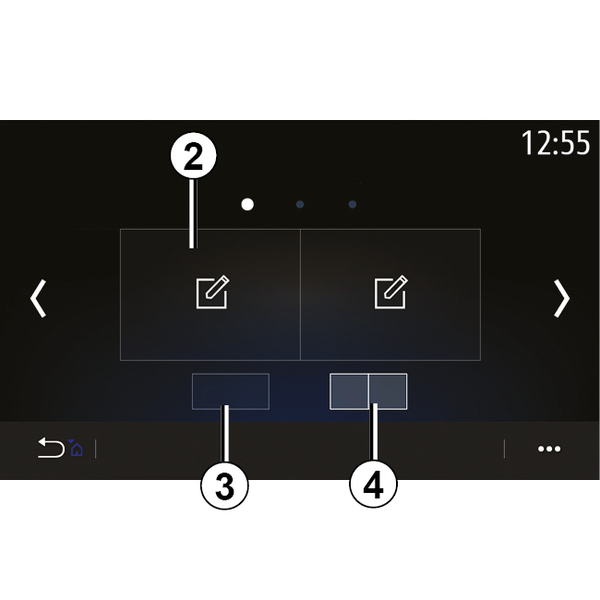
Alpine Telemetrics is an application which includes a display with customisable widgets.
You can select the widget by pressing 2.
You can choose to adjust the display of the widgets by pressing:
- 3to display one widget per page;
- 4to display two widgets per page.
warning
Precautions when operating the system
Operate the controls and read the information on the screen only when road conditions allow.
warning
This function is an additional aid. It cannot, therefore, under any circumstances replace the vigilance or the responsibility of the driver.
The driver must always pay attention to the rules of the road.
Alpine Telemetrics can be used to view the following functions:
- "Pressure gauges" 1 & 2 (customisable);
- "Bar charts" (6 customisable bar graphs);
- "Performance" (0 to 62 mph (0 to 100 km/h), 0 to 400 m, etc.);
- "GG diagram" (measurement of transverse and longitudinal acceleration);
- "Engine graphs" (engine power and torque);
- "Dual clutch gearbox" (gearbox information: temperatures, gear engaged, etc.);
- "Stopwatch" (manual recording of the lap time, etc.);
- "Auto Stopwatch" (automatic recording of the lap time, etc.).
"Pressure gauges" 5
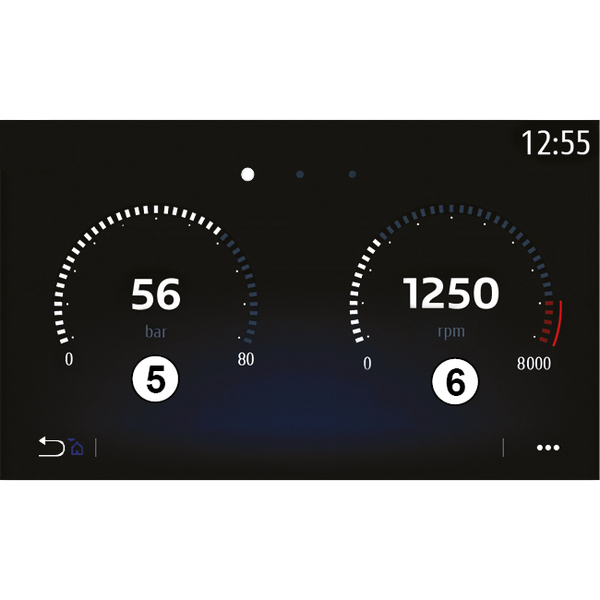
This function can be used to display one 5 or two 6 customisable pressure gauge widgets from the vehicle settings.
Pressure gauge settings
To customise the pressure gauges, press one of pressure gauges displayed on the multimedia system screen and select the desired setting.
warning
For safety reasons, carry out these operations when the vehicle is stationary.
You can choose to display the following settings:
- "Torque";
- "Power";
- "Turbo pressure";
- "Oil temperature";
- "Oil pressure";
- "Brake pressure";
- "Water temperature";
- « Speed » ;
- "Steering wheel angle";
- "Side acceleration";
- "Accelerator pedal percentage";
- "Temperature of clutches";
- "Engine speed".
"Torque" (Nm)
Indicates the available torque level (in Newton-metre).
"Power" (ch)
Shows the engine power in real time (in horsepower DIN).
"Turbo pressure" (mBar)
Indicates the use of the turbocharger in real time and the available turbocharging reserve (in millibar).
"Oil temperature" (°C or °F)
Indicates the temperature (in degrees Celsius or Fahrenheit) of the oil contained in the engine.
"Oil pressure" (bar)
Shows the pressure (in bars) of the oil contained in the engine. The pressure must always be over 0.7 bar.
"Brake pressure" (bar)
Shows the pressure (in bar) in the braking circuit. The higher the pressure, the more powerful the braking will be.
"Water temperature" (°C or °F)
Indicates the temperature (in degrees Celsius or Fahrenheit) of the coolant.
Note: the operating temperature must be below 115 °CIf the temperature is higher, a message appears on the instrument panel.
"Speed" (km/h or mph)
Indicates the vehicle speed (in kilometres per hour or miles per hour).
"Steering wheel angle" (°)
Indicates the angle of the steering wheel (in degrees).
"Side acceleration" (G)
Indicates the transverse and longitudinal accelerations (in " G »).
"Accelerator pedal percentage" (%)
Indicates the position to which the accelerator pedal is pressed as a percentage (from 0 to 100).
"Temperature of clutches" (°C or °F)
Indicates the temperature (in degrees Celsius or Fahrenheit) of the clutch system.
"Engine speed" (RPM)
Indicates the engine speed (in rpm).
"Bar charts"
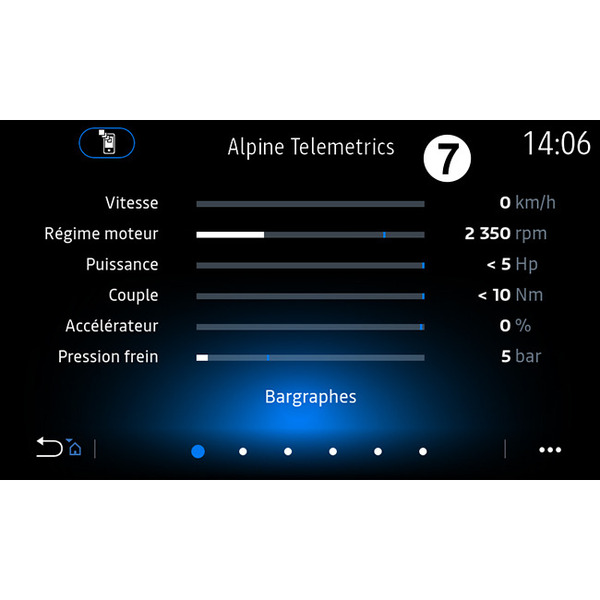
This function displays six bar charts.
- « Speed » ;
- "Power";
- "Accelerator pedal percentage";
- "Brake pressure";
- "Engine speed";
- "Torque".
"Torque" (Nm)
Indicates the available torque level (in Newton-metre).
"Power" (ch)
Shows the engine power in real time (in DIN horsepower).
"Brake pressure" (bar)
Shows the pressure (in bar) in the braking circuit. The higher the pressure, the more powerful the braking will be.
"Speed" (km/h or mph)
Indicates the vehicle speed (in kilometres per hour or miles per hour).
"Steering wheel angle" (°)
Indicates the angle of the steering wheel (in degrees).
"Side acceleration" (G)
Indicates the transverse and longitudinal accelerations (in "G").
"Accelerator pedal percentage" (%)
Indicates the position to which the accelerator pedal is pressed as a percentage (from 0 to 100).
"Gearbox oil temperature" (°C or °F)
Indicates the temperature (in degrees Celsius or Fahrenheit) of the oil contained in the gearbox.
"Temperature of clutches" (°C or °F)
Indicates the temperature (in degrees Celsius or Fahrenheit) of the clutch system.
"Engine speed" (RPM)
Indicates the engine speed (in rpm).
"Performance"

The measurement of performance is automatic and begins as soon as a speed above 0 mph (0 km/h) is detected. It is automatically reset once the vehicle has stopped for more than two seconds. The deceleration measurement begins during a significant braking.
The performance measured is:
- 0-31 mph (0-50 km/h);
- 0-62 mph (0-100 km/h);
- 0-400 metres;
- 62-0 mph (100-0 km/h);
- 0-1000 metres.
The graph shows the vehicle speed in relation to the distance travelled.
Note: you can also carry out this test over shorter distances. The 0-400 metre and 0-1,000 metre parameters will therefore remain at zero.
"GG diagram"

When you accelerate, slow down or turn, the vehicle undergoes transverse and longitudinal acceleration. This function can be used to see these and measure them in real time.
The 9 screen enables you to see the history of values saved by the multimedia system.
To reset the display to zero, press "Reset" 8.
"Engine graphs"
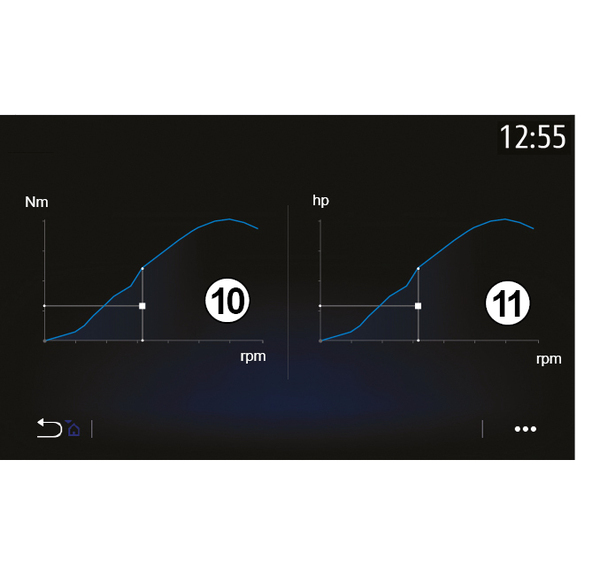
This function can be used to view:
- the engine torque 10 (in Newton metres);
- the engine power 11 in real time (horsepower DIN).
"Dual clutch gearbox"

This function can be used to play an animation that demonstrates the operation of the dual clutch gearbox 12 and provides the following information:
- clutch temperature 13;
- gear engaged (the gear indicated on the screen and the instrument panel may differ for approximately two seconds) 14;
- pre-selected gear 15.
"Stopwatch"

This function shows the following information:
- stopwatches 16;
- total time 20;
- time elapsed since the start of the lap 18;
- time for the two previous laps 21;
- best lap time 19;
- the number of laps 17.
To start the stopwatch, press the "Start" button or the stopwatch 22 then, each time the stopwatch 22 is pressed, the system saves the lap time.
This time is displayed in the latest lap time 18 without stopping the main stopwatch.
Note: when you press the "Start" button 22, the "Stop" button replaces the "Start" function.
Pressing the "Stop" button once stops the stopwatch (the times are still displayed).
Pressing button "Reset" clears all the information and resets the general stopwatch.
Note: when you press the "Stop" button 22, the "Reset" button replaces the "Stop" function.
"Automatic Stopwatch"
The stopwatch has an automatic function. Once the starting point is selected, press " Ready " 22 to start the lap timer.
The function saves the vehicle position GPS at the start of the lap. Each time the vehicle passes this position GPS, the system saves the lap time.
Note: in automatic mode, the "Stop" button 22 becomes the " Ready ».