ALPINE MULTIMEDIA SYSTEM
" Applications " menu
From the main menu, press "Applications" or "Apps" to access the following:
- the apps installed on your navigation system;
- « Photo » ;
- « Video ».
Note: some services will be available free of charge for a trial period. You can extend your subscription from your vehicle or online via the https://renault-connect.renault.com website.
Note:
- some services are freely accessible during the trial period. You can extend your subscription from your vehicle or online;
- some applications appear on the menu only if the system is connected to the connected services.
Pop-up menu
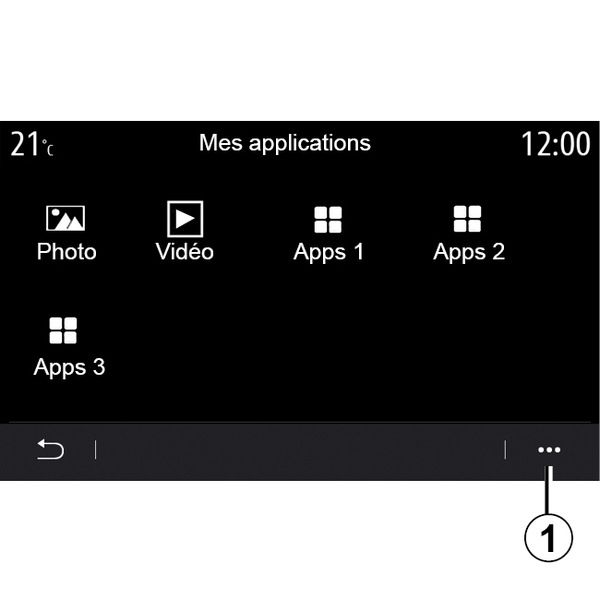
From the pop-up menu 1, you can:
- re-arrange your applications by drag-and-drop;
- delete an app by pressing on the "X" delete button. If the app cannot be deleted, the delete button is not displayed;
- activate notifications;
- access the "App Manager".
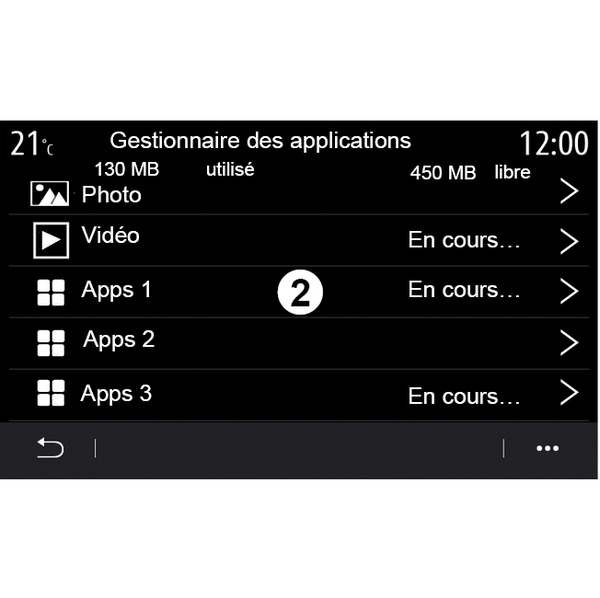
"App manager"
Use the "App Manager" menu to view the apps 2 that are currently running on your multimedia system.
Note:
- the "Photo" and "Video" apps are not handled by the "App Manager";
- applications that are running will stop as soon as the multimedia system is switched off;
- the number of applications is limited according to system storage space.
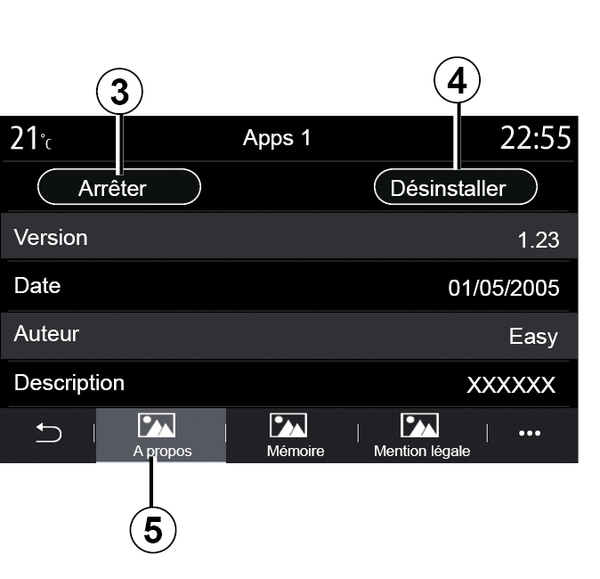
Select one of the apps 2. From the "About" tab 5, you can access information on the app (version, validity or creation date, title, etc.).
You can also:
- "stop the application" 3;
- "uninstall the application" 4.
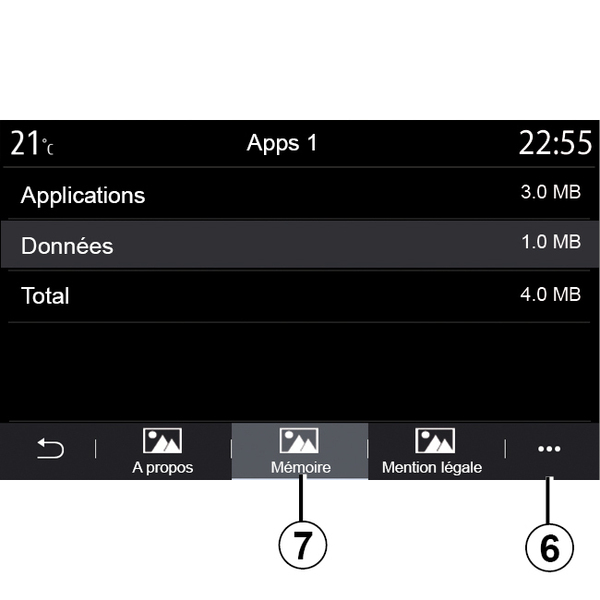
From the "Memory" tab 7, you can access the following information:
- app storage size;
- application data storage size (music, photos, etc.);
- Total app storage size.
From the pop-up menu 6, you can erase the application data.
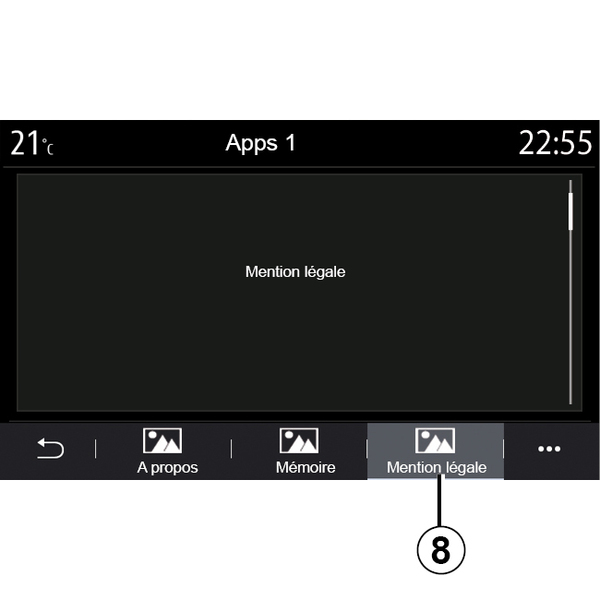
From the "Legal notice" tab 8, you can access information on permissions, if available.