ALPINE PORTAL
tip
The availability ofAlpine Telemectrics depends on the country in which the vehicle is sold and/or your vehicle's equipment level.
Alpine Telemetrics consists of:
- an on-board app in your vehicle's multimedia system;
and
- a mobile app to download onto your smartphone.
Note:
- if you have not subscribed to option Alpine Telemetrics , you have a discovery version of this option, with a few features;
- to use the Alpine Telemetrics app, you first need to create and pair your "Google®" with the vehicle Activating services;
- to take advantage of all the functions, you need to pair your smartphone with the multimedia system via the appAlpine Telemetrics.
warning
Precautions when operating the system
Operate the controls and read the information on the screen only when road conditions allow.
Alpine telemetrics menu
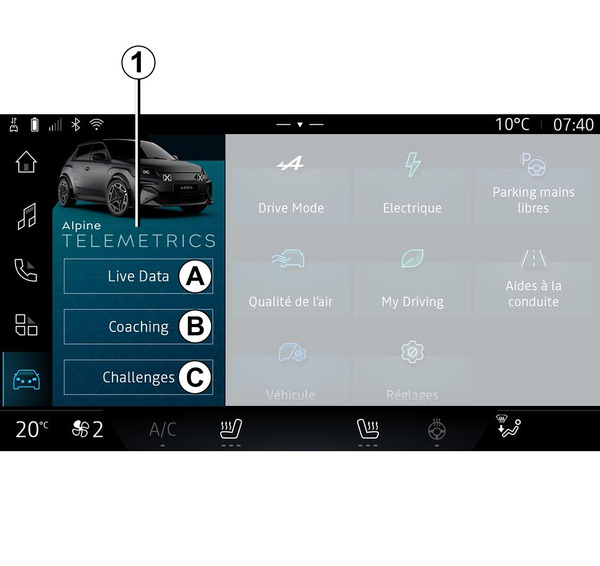
From the "Vehicle" world
 , you can access the Alpine Telemetrics menu 1.
The menu Alpine Telemetrics contains the following tabs:
- "Live Data" A;
- "Coaching" B;
- "Challenges" C.
First use
Press the "Live Data" tab A, then accept the Terms of Use and give permissions to the service Alpine Telemetrics by following the instructions shown on the multimedia screen.
Each "Profile" user will be able to access the app Alpine Telemetrics and retain the information associated with their profile User settings.
Live Data
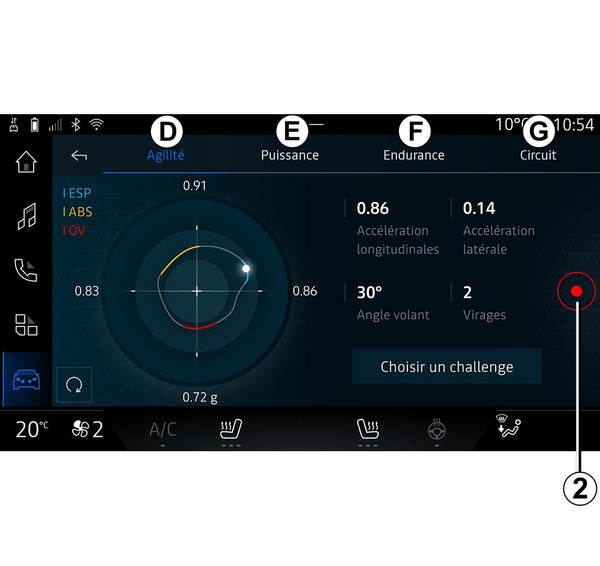
From the "Live Data" menu A, you can access the following tabs:
- "Agility" D;
- "Power" E;
- "Endurance" F;
- "Circuit" G.
You can save your driving data by pressing 2.
Saving driving data 2
To use driving data recording, download and install the "Alpine Telemetrics" app from your smartphone's app download platform, then pair your smartphone to the multimedia system via the "Alpine Telemetrics" app by following the connection instructions displayed on your smartphone screen.
To start recording, open the "Alpine Telemetrics" app on your smartphone, then press 2.
To stop recording, press 2 again.
You can then find the recordings on the "Alpine Telemetrics" on your smartphone and access their analyses.
By configuring video recording from the "Alpine Telemetrics" app on your smartphone, you can link the video to your driving data analyses.
Coaching
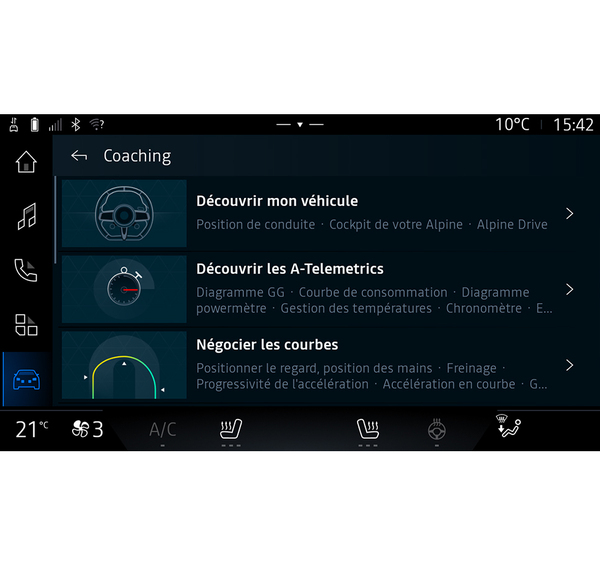
With the vehicle stationary, from the "Coaching" B, you can access:
- various driving tips;
- descriptions of the various elements (diagram, stopwatch, etc.) suggested by Alpine Telemetrics.
Challenges
warning
You are responsible for carrying out the challenges in compliance with the rules of conduct in force.
Some of the challenges on offer are for use on closed roads only.
A message will remind you of this once you activate these challenges.
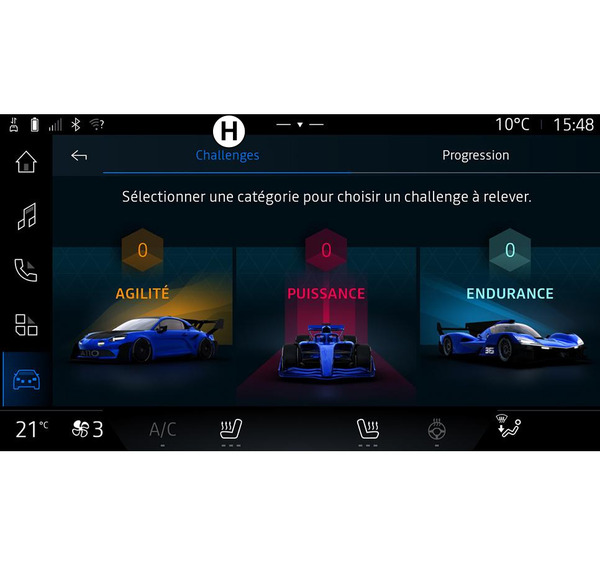
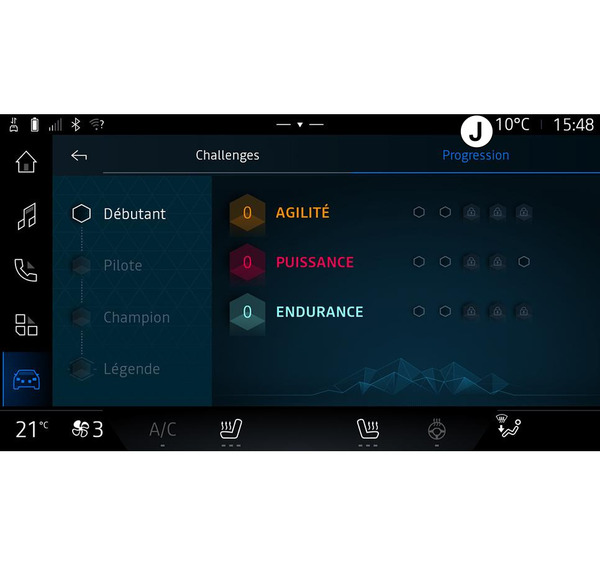
From the "Challenges" menu C, you can access the following tabs:
- "Challenges" H;
- "Progression" J.
"Challenges" H
You have challenges to take up in the following categories:
- "Agility";
- "Power";
- "Endurance".
A detailed sheet sets out the content of each challenge, the medals to be achieved and the scores obtained.
When you start the challenges, some of them won't be accessible yet. Earn medals in the available challenges to unlock new ones.
"Progression" J
This menu allows you to view your status, your progress in the various challenges and the medals you have won.