Operating fault messages

<?xml version="1.0" standalone="yes"?>

They appear with the   warning light to inform you that you should drive very carefully to an approved Dealer as soon as possible. If you fail to follow this recommendation, you risk damaging your vehicle.

Chapter

Information messages

<?xml version="1.0" standalone="yes"?>

These can help in the vehicle starting phase, or give information about a selection or a driving status.

Examples of information messages are given in the following pages.

Chapter

Journey settings

<?xml version="1.0" standalone="yes"?>

The display of information shown below DEPENDS ON THE VEHICLE EQUIPMENT AND COUNTRY

Examples of selections

Interpreting the display selected

Chapter

General information

<?xml version="1.0" standalone="yes"?>

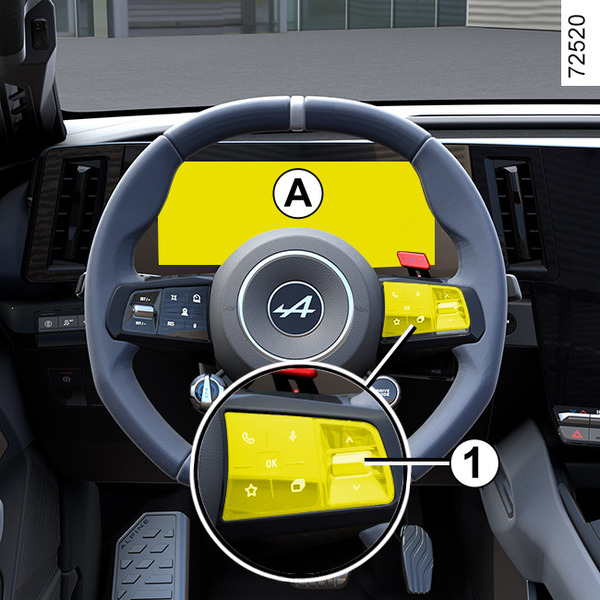
On-board computer A

Depending on the vehicle, this includes the following functions:

Chapter

Driver's position: left-hand drive

<?xml version="1.0" standalone="yes"?>

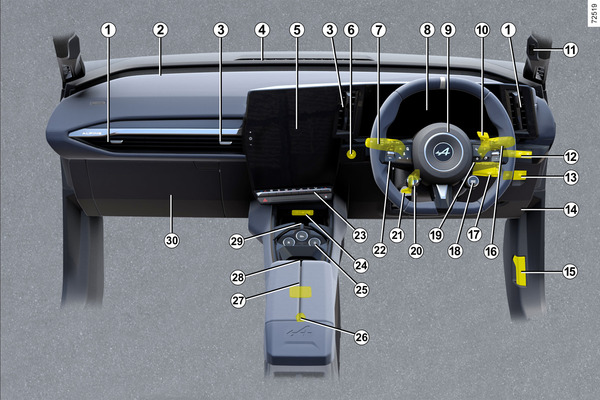
The equipment described below DEPENDS ON THE VEHICLE VERSION AND COUNTRY.

1.

Side air vents.

2.

Stalk for:

Chapter

Passenger detection system

<?xml version="1.0" standalone="yes"?>

Operation

Depending on the vehicle, the passenger detection system automatically manages the activation and deactivation of the passenger airbag according to whether the front passenger seat is occupied.

Chapter