Multimedia equipment

<?xml version="1.0" standalone="yes"?>

Introduction

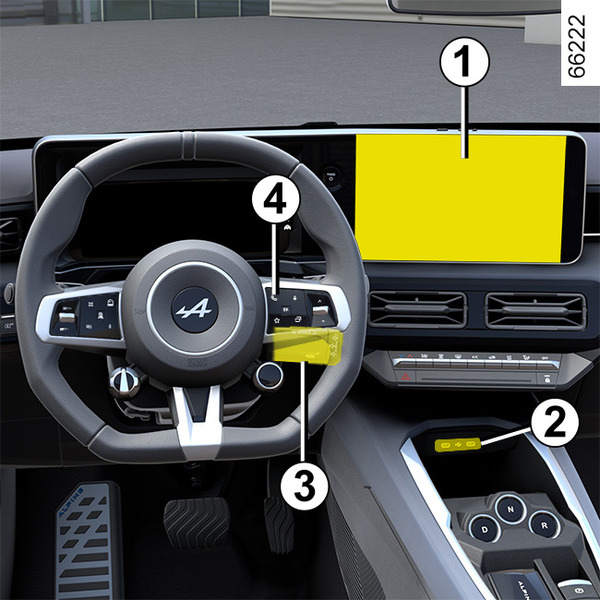
The presence and location of this equipment depends on the vehicle version.

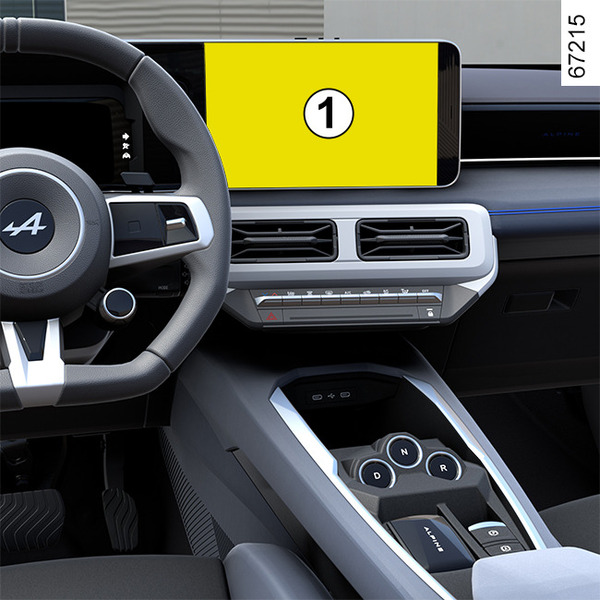
1.

Multimedia screen.

Chapter

Air conditioning: information and advice on use

<?xml version="1.0" standalone="yes"?>

Information and advice on use

Advice on use

In some situations (air conditioning off, air recirculation activated, ventilation speed at zero or low etc.), you may notice that condensation starts to form on the windows and windscreen.

If there is condensation, use the "Clear View" function to remove it, then use the air conditioning in automatic mode to stop it forming again.

Chapter

Air conditioning: programming

<?xml version="1.0" standalone="yes"?>

Air conditioning programming

From the multimedia screen 1, you can save several comfort programs by activating the following settings:

Chapter

Automatic climate control

<?xml version="1.0" standalone="yes"?>

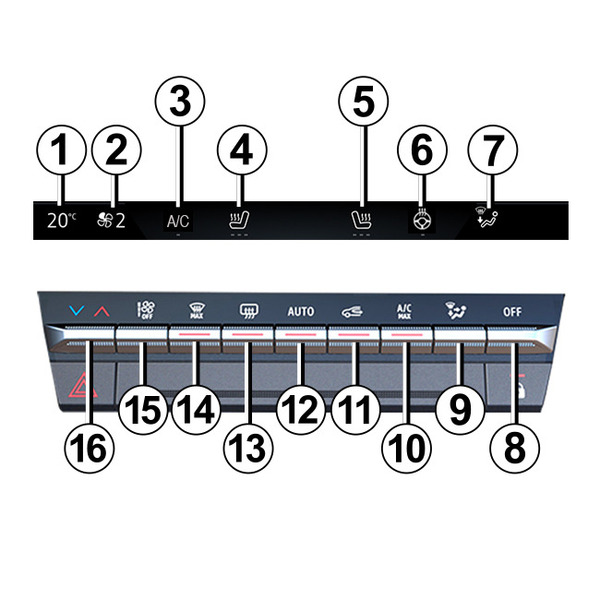
The controls

1.

Driver's heating temperature indicator.

2.

Ventilation speed indicator.

Chapter

Air vents: air outlets

<?xml version="1.0" standalone="yes"?>

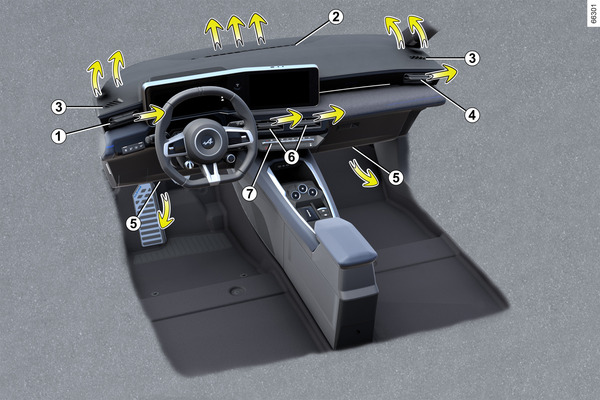
Air outlets

1.

Driver’s position air vents.

2.

Windscreen demisting vent.

Chapter

DRIVE MODE

<?xml version="1.0" standalone="yes"?>

Depending on the vehicle, the DRIVE MODE system enables you to choose from several driving modes that affect the driving, ambient lighting, comfort and driving position:

Chapter

Emergency call

<?xml version="1.0" standalone="yes"?>

Introduction

If the vehicle is equipped, the emergency call function can be used to call the emergency services (without charge) automatically or manually in the event of an accident or illness, reducing the time it takes for the emergency services to arrive.

Note: the emergency call function is operational:

Chapter

Safe passenger exit

<?xml version="1.0" standalone="yes"?>

Description

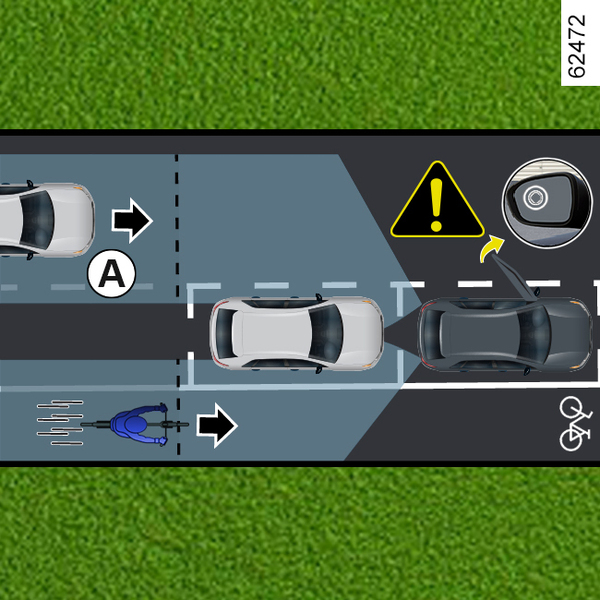
This function is an additional driving aid for the safety of the occupants of the vehicle.

Chapter