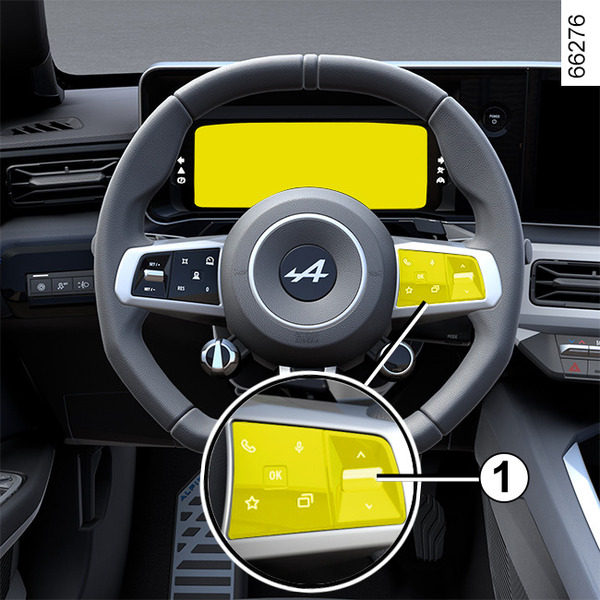
General information <?xml version="1.0" standalone="yes"?>Trip computer Depending on the vehicle, this includes the following functions: Chapter
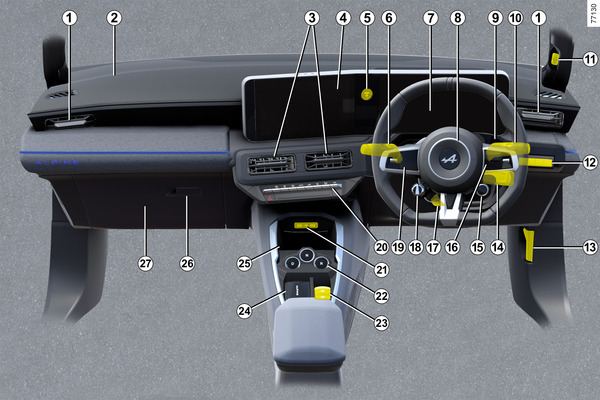
Driver’s position, right-hand drive <?xml version="1.0" standalone="yes"?> The equipment described below DEPENDS ON THE VEHICLE VERSION AND COUNTRY.1.Side air vents. Chapter
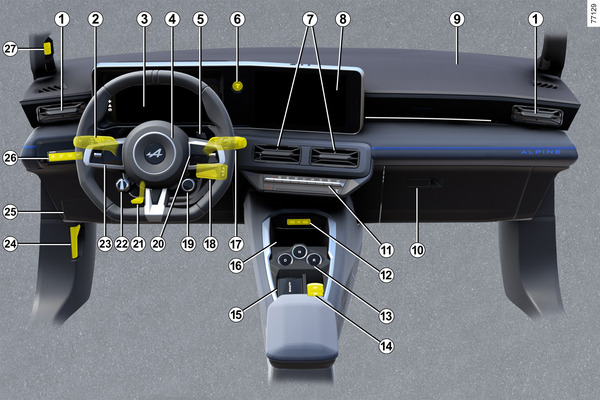
Driver's position: left-hand drive <?xml version="1.0" standalone="yes"?> The equipment described below DEPENDS ON THE VEHICLE VERSION AND COUNTRY.1.Side air vents.2.Stalk for: Chapter
Child safety: deactivating, activating the front passenger airbag <?xml version="1.0" standalone="yes"?>WarningwarningThe passenger airbag may only be activated or deactivated when the vehicle is stationary with the ignition off. Chapter
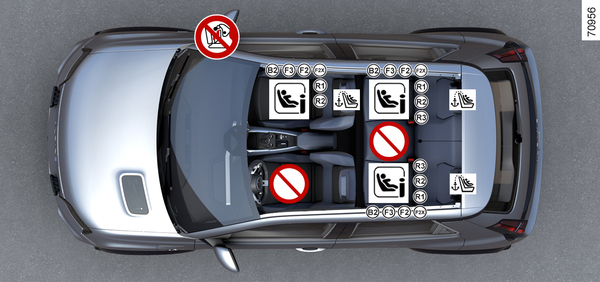
Attachment using the ISOFIX system <?xml version="1.0" standalone="yes"?>Fitting diagram tipFor the front passenger seat, the use of a child seat with a floor support is recommended to avoid triggering the seat belt warning signal. Chapter
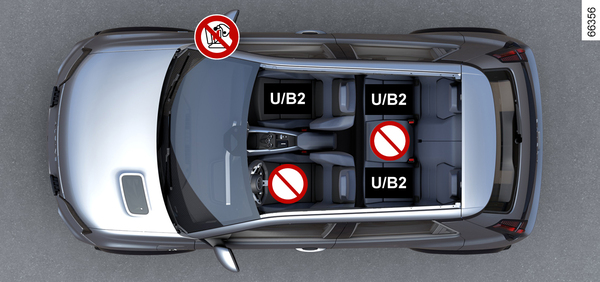
Fitting a child seat, general information <?xml version="1.0" standalone="yes"?>Some seats are not suitable for fitting child seats.The diagrams Attachment by seat beltAttachment using the ISOFIX system show you where to attach a child seat.warningFit the child seat in a rear seat wherever possible. Chapter