A110
The controls
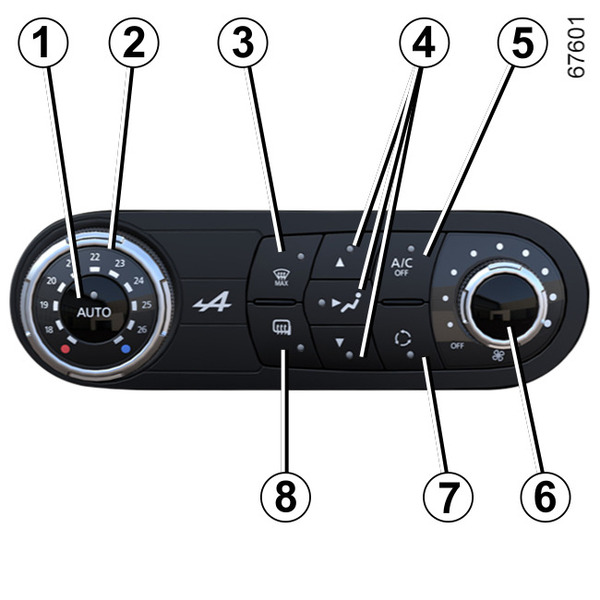
(depending on the vehicle)
- 1.
Automatic mode.
- 2.
Adjusting the air temperature.
- 3.
"Clear View" function.
- 4.
Passenger compartment air distribution adjustment.
- 5.
Air conditioning control.
- 6.
Adjusting the ventilation fan speed.
- 7.
Air recirculation.
- 8.
De-icing the rear view mirrors and, depending on the vehicle, the rear screen.
Automatic mode
The automatic climate control system guarantees comfort in the passenger compartment and good visibility (except in the event of extreme conditions), whilst optimising consumption. The system controls the ventilation speed, air distribution, air recirculation, and starting and stopping the air conditioning and air temperature.
AUTO: allows the selected comfort level to be best attained, depending on the exterior conditions. Press the button 1.
Varying the ventilation speed
In automatic mode, the system uses the most suitable amount of air to reach and maintain the desired comfort level.
You can still adjust the ventilation speed by turning control 6 to increase or reduce the ventilation speed.
Adjusting the air temperature
Turn control 2 to obtain the desired temperature.
Turning the control to the right increases the temperature.
"Clear View" function
Press the button 3 and the indicator lights on buttons 3 and 8 light up.
This function quickly de-ices and de-mists the windscreen, the front side windows, the exterior rear view mirrors and (depending on the vehicle) the rear screen. It automatically activates the air conditioning.
To exit this function, press button 3 or 1.
tip
Some buttons have an operating light indicating their operative state.
Adjusting the distribution of air in the passenger compartment
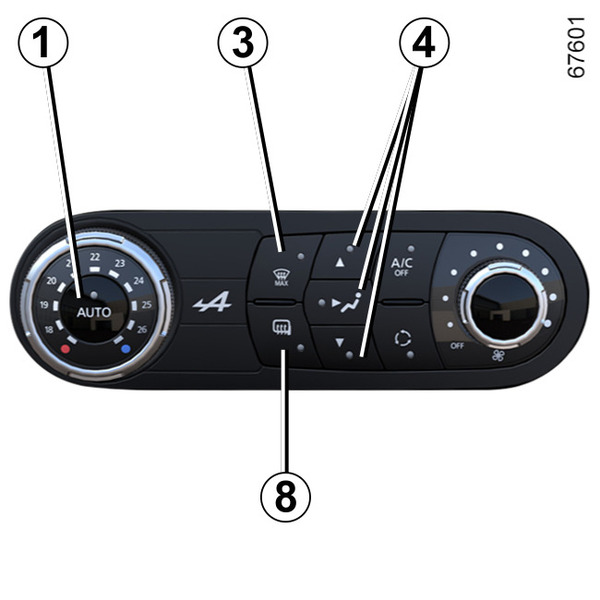
Press one of the buttons 4. The integrated warning light in the button comes on.
It is possible to combine two positions simultaneously: press two of the buttons 4.
-

The air flow is distributed between all the air vents, the front side window demisting air vents and the windscreen demisting vents.
-

The air flow comes mainly through the dashboard air vents.
-

The air flow comes mainly through the outlets located at the occupants' feet (underneath the dashboard).
De-icing function
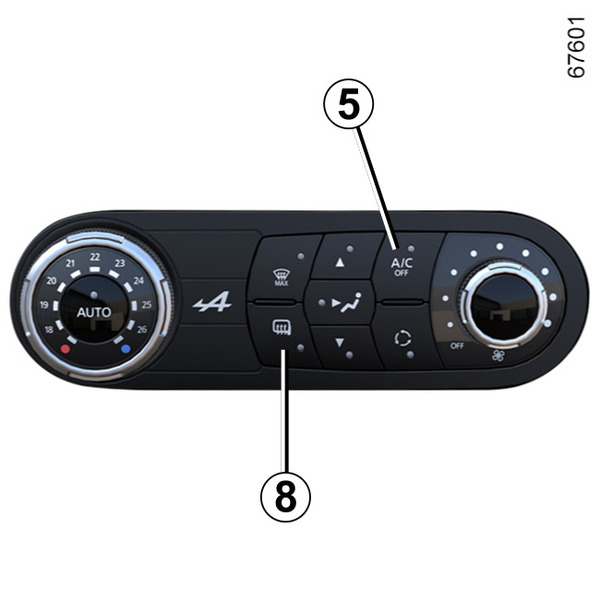
Press button 8 and the built-in warning light comes on. This function quickly de-ices the rear view mirrors and (depending on the vehicle) the rear screen.
To exit this function, press button 8 again. By default, de-icing stops automatically.
Switching the air conditioning on or off
In automatic mode, the system switches the air conditioning system on or off, depending on the climate conditions.
Press the button 5 to switch off the air conditioning; the integrated indicator light comes on.
Air recirculation (isolation of the passenger compartment)
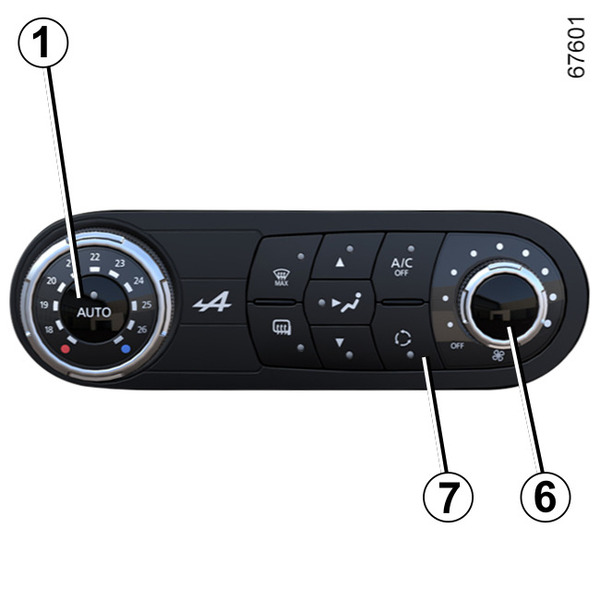
You can activate the recirculation function from time to time to isolate the passenger compartment from outside air, for example when driving through a polluted area.
tip
Demisting/de-icing will still take priority over the air recirculation.
Manual use
Press button 7 and the built-in warning light comes on.
Note: in order to prevent the windows from misting up, the system may automatically deactivate the function. The integrated indicator light on button 7 goes out.
To exit this function, press the button 7 again.
Stopping the system
Turn the control 6 to "OFF" to stop the system. To start it, turn the control 6 again to adjust the blower speed or press button 1.