A110
Vehicle settings personalisation menu
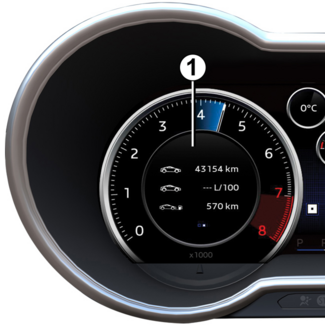
On equipped vehicles, this function, which is integrated into the trip computer 1, allows you to activate/deactivate and adjust some of the vehicle's functions.
Accessing the vehicle settings customisation menu
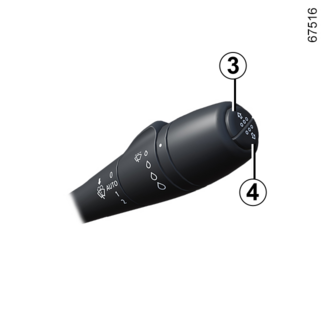
With the vehicle stationary, press several times on button 3 or 4 until the settings menu is displayed. Press and hold button 2 to enter the menu.
Adjusting the settings
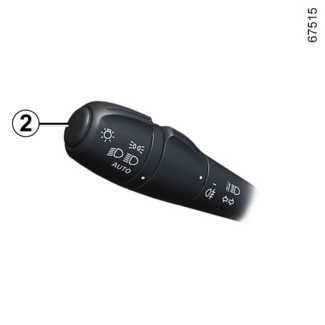
Use button 2 to browse and select the function to modify.
Depending on the vehicle, the following functions are available:
- automatic locking of the doors while driving;
- activation of the rear Park Assist function;
- activation of the front Park Assist function;
- automatic activation of night mode;
- clock;
- selecting a language;
- choice of units: km/h or mph.
Tip
The settings personalisation menu cannot be used when driving. Over 2 mph (4 km/h),
the on-board display automatically switches back to trip computer mode and the "Settings menu: when stationary" message appears to warn you.
 function activated
 function deactivated
Once a line has been selected, keep pressing either button 2 or 3 to modify the function.
For "Units" or "Language", you have to make a further selection. In this case, make your selection using button
3 or 4 and confirm by holding button 2.
To exit the menu, select "Exit" using button 3 then confirm by briefly pressing button 2.