A390
Introduction
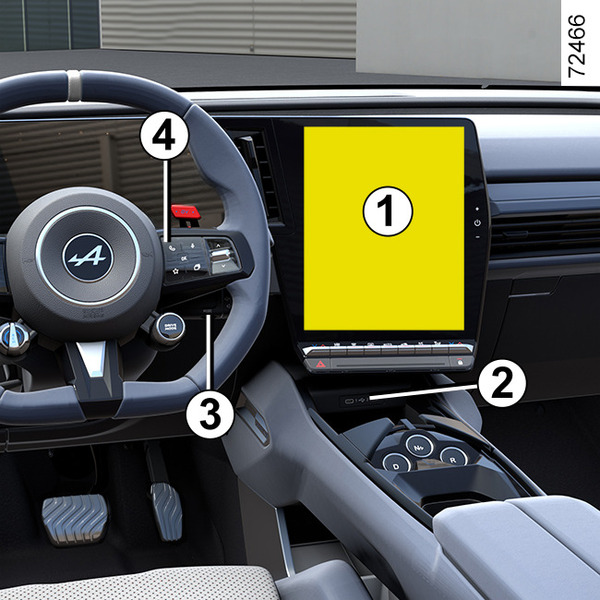
The presence and location of this equipment depends on the vehicle version.
- 1.
Multimedia screen.
- 2.
USB-C multimedia sockets on the upper centre console.
- 3.
Steering column control.
- 4.
Voice command.
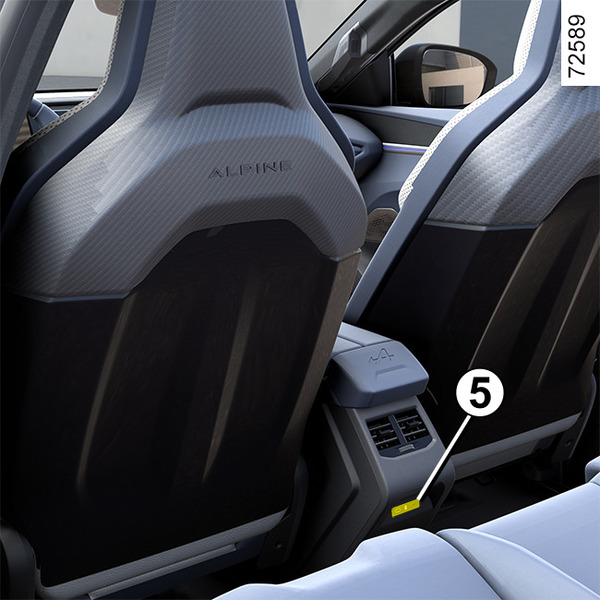
- 5.
USB-C multimedia ports for the rear passengers.
tip
Please refer to the multimedia instructions for further information.
"USB-C" multimedia ports
The USB-C multimedia ports 2 and 5 can be used to charge accessories with a maximum power of 15 Watts (5 Volts) per socket.
Note: the USB-C multimedia ports 2 also enable data transfer.
warning
Connect accessories with a maximum power of 15 watts only.
Fire hazard.
tip
If you connect a cable from an accessory to a USB port (e.g. a smartphone charging cable), be sure to disconnect it when no longer needed.
Risk of short circuit and damage to the USB port in the event of contact between the end of the cable and a metallic object (e.g. cigarette lighter, etc.).
Microphone 6
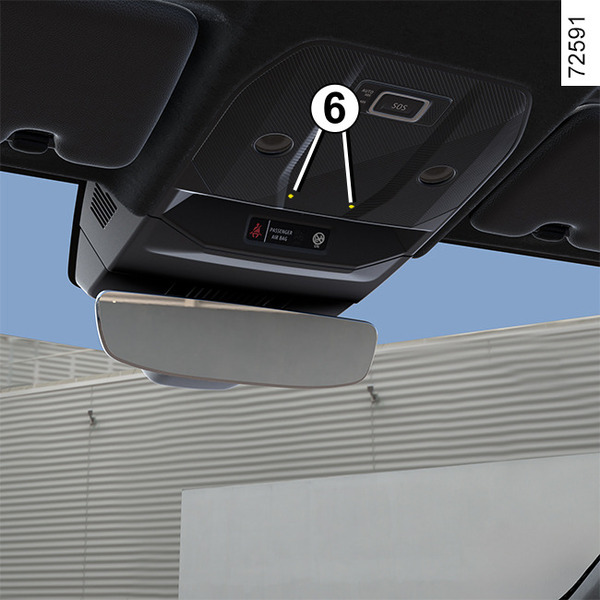
(For the telephone and voice assistant)
warning
Using the telephone
We remind you of the need to conform to the legislation in force concerning the use of such equipment.
Induction charging zone 7
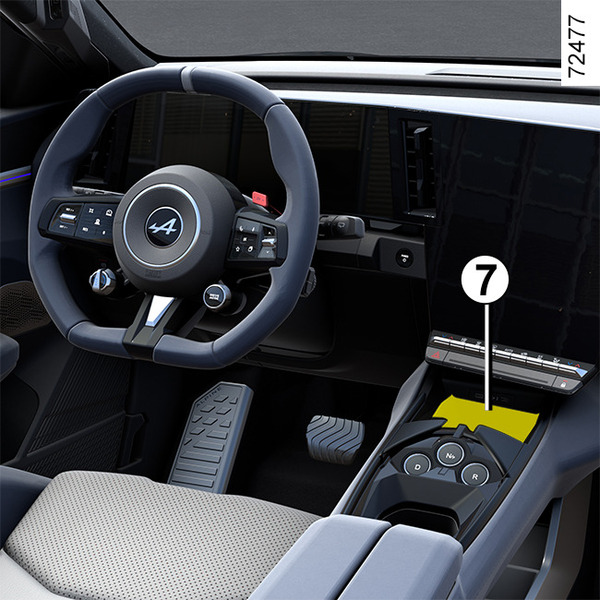
Passenger compartment storage, fittings
tip
When driving, make sure that the container held by the cup holder is properly closed so that it does not tip over.
Risk of damage to surrounding electrical and/or electronic equipment in the event of liquid spillage.