A290
Selection of views
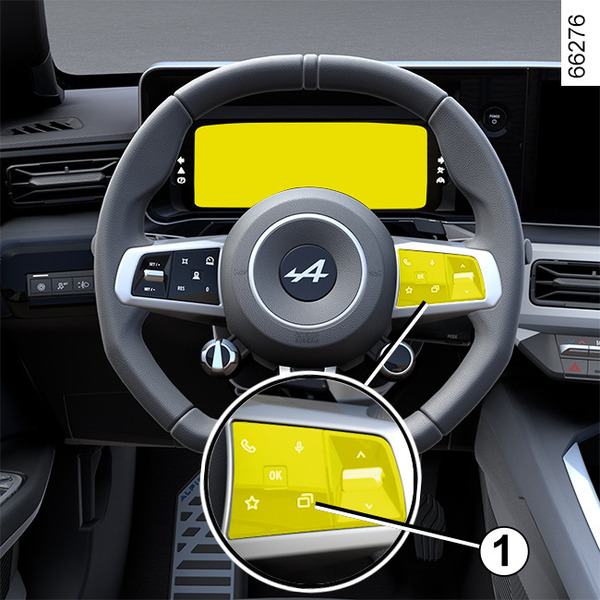
Depending on the vehicle, use control 1 to browse and select the various views on the instrument panel.
Several views are proposed:
- charging view: displays the range, battery percentage and remaining charging time on the instrument panel only when the vehicle is charging;
- classic view: displays the speed, active driving aids, information area and, depending on the vehicle, the power meter on the instrument panel;
- navigation view: displays the speed, active driving aids and the information area on the instrument panel. It also duplicates the road map from the multimedia system onto the entire instrument panel;
- realistic scene: displays the speed, active driving aids, information area as well as your vehicle and its surroundings (lanes, vehicles around you, etc.) on the instrument panel;
- minimum view: displays only essential information, the speed, active driving aids and the information area on the instrument panel.
Instrument panel
lights up when the driver’s door is opened. In some cases, the appearance of a warning light is accompanied by a message.
Depending on the vehicle, you can customise your instrument panel with the content and colours of your choice.
Please refer to the multimedia instructions for more information.
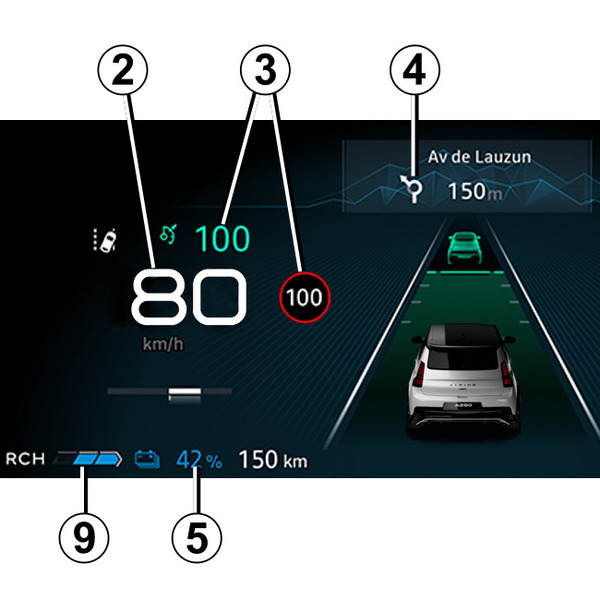
Speedometer 2
Overspeed buzzer
Depending on the vehicle and country, the
 warning light is displayed and a beep sounds. This beep sounds as soon as the vehicle is travelling at over 75 mph (120 km/h).
This warning light remains lit for as long as the vehicle is travelling at over 75 mph (120 km/h).
Information on driving aids 3
Navigation in progress information 4
Depending on the vehicle, you can display information from the multimedia screen (compass, telephone, navigation, etc.) or information from the trip computer.
Please refer to the multimedia instructions for more information.
Battery information 5 (traction battery charging rate, estimated range)
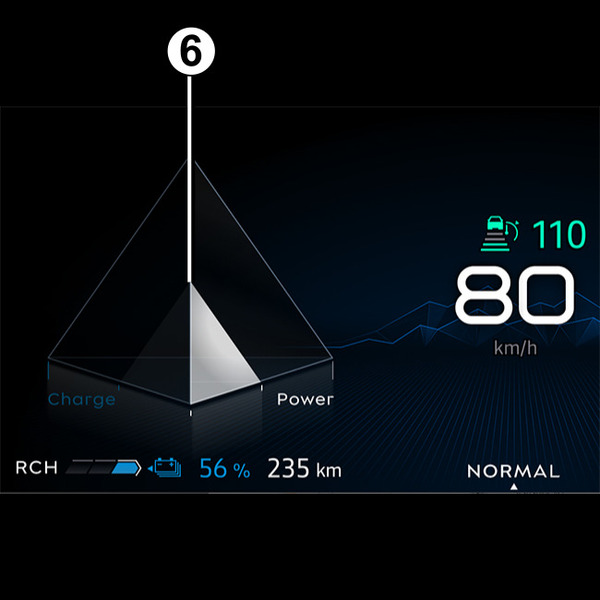
Power meter 6
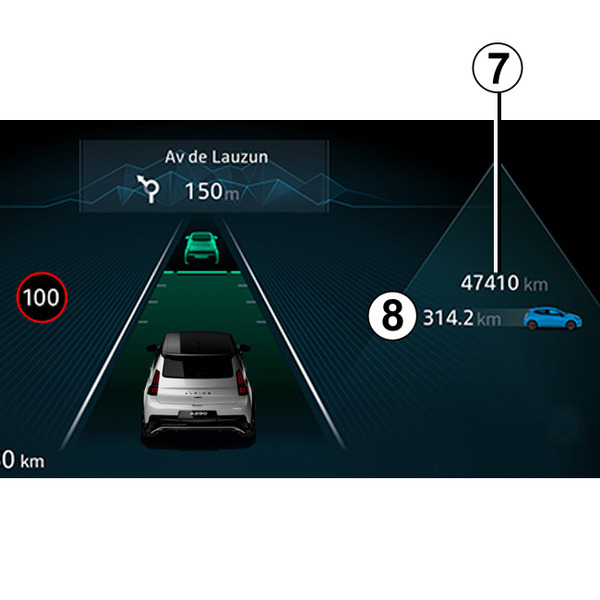
Total mileage recorder 7
Regenerative braking level warning light 9
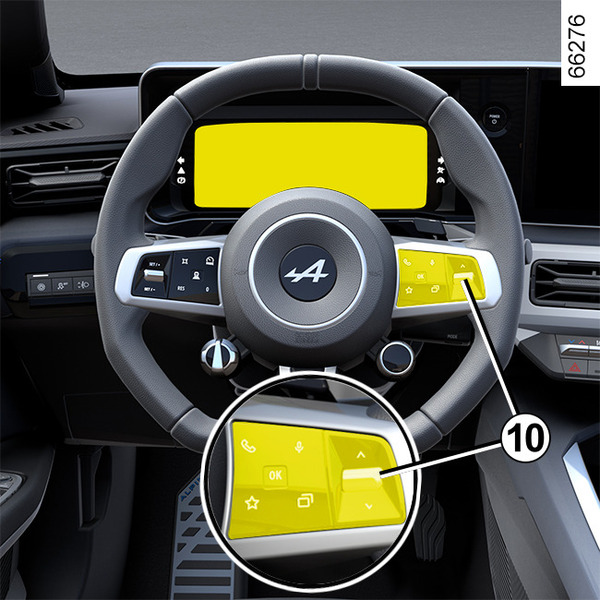
Information area 8
Depending on the vehicle, use the control 10 to browse and select the various widgets on the instrument panel :
- trip computer information (mileage recorder, consumption, etc.);
- telephone, multimedia (audio source currently playing, etc.) information;
- vehicle information (warning messages, etc.);
- ...
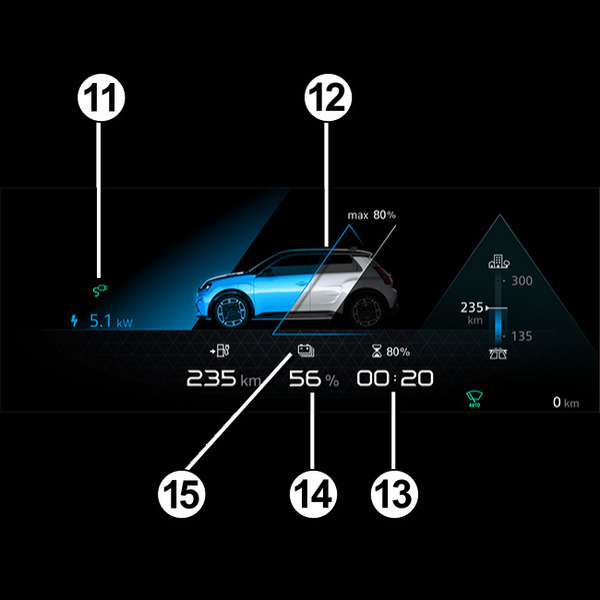
Charging cable "Plugged In" warning light 11
This comes on when the charging cable is plugged into the vehicle.
Charge level 12
The gauge indicates the level of energy remaining.
Remaining charge time 13
Traction battery charge rate 14
Reserve threshold
When the traction battery reaches approximately 15%, the traction battery level 14 and the warning light 15
 light up yellow on the instrument panel, accompanied, depending on the vehicle, by a sound signal.
To optimise your range Driving advice, eco-driving.
Immobilisation threshold imminent
When the charge level reaches about 5%, an beep will sound. The warning light 15 flashes in yellow and the traction battery level 14 is displayed in red.
Note: when the charge level reaches approximately 5% or 0% (depending on the vehicle), the remaining range value is no longer displayed on the instrument panel or, depending on the vehicle, after a delay of approximately 30 seconds.
Engine performance gradually decreases until the vehicle comes to a halt Towing: breakdown.
Estimated range 16
The estimated range in real time is calculated according to various factors such as the conditions of use, equipment, driving style, weather conditions, etc.
The calculation is based on the last few kilometres driven. It is automatically corrected during your journey if the factors change (type of road, driving style, etc.).
In addition, to understand your estimated range, you can refer to indicators 17 and 18. Depending on the traction battery charging level:
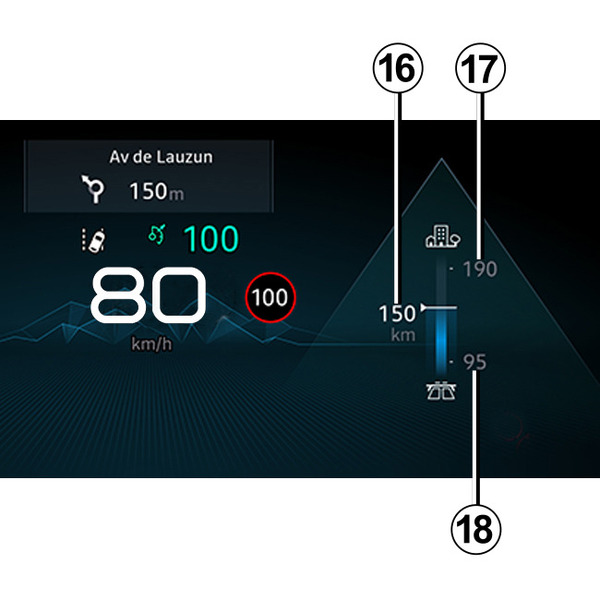
- indicator 17: "high" estimate of your expected range calculated based on optimal driving conditions (for example: driving on A-roads or dual carriageways in warm weather with little use of thermal comfort);
- indicator 18: "low" estimate of your expected range calculated based on unfavourable driving conditions (for example: driving on a motorway in cold weather or in a traffic jam with intensive use of thermal comfort).
To optimise your range Driving advice, eco-driving.
Instrument panel in miles
(option to switch to km/h)
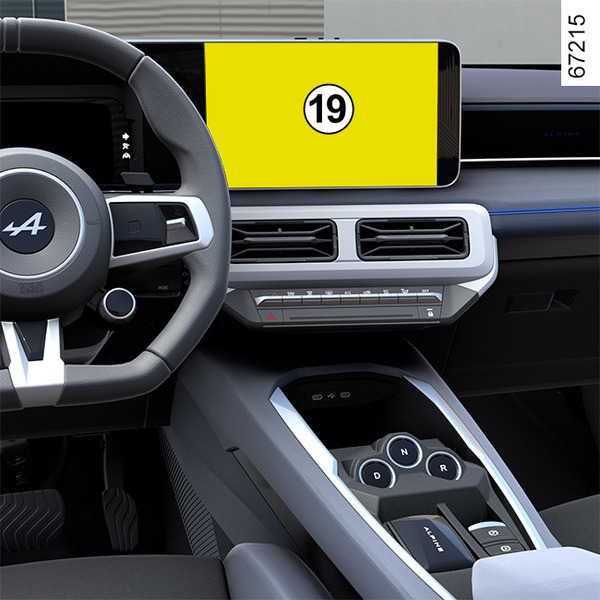
With the vehicle stationary and the engine switched on, from the multimedia screen 19 select the "Vehicle" world, press the "Settings"menu, "System" then "Units".
Choose between km/h or mph.
The speedometer and some of the distance information displayed on the instrument panel are converted.
To return to the previous mode, repeat the same operation.
Note: once the battery is switched off, the on-board computer automatically returns to the original unit of measurement.
Please refer to the multimedia instructions for more information.
tip
To use certain driving aid functions, it is necessary to change the unit of measurement on the instrument panel in order to obtain the appropriate information when driving in a country where the speed units differ from those set as default on your vehicle.
warning
For safety reasons, carry out any adjustments while the vehicle is stationary.