A290
Introduction
Range is accredited in according to a standard regulatory method. Identical for all manufacturers, this enables vehicles to be compared with one another.
Range in real time depends on vehicle usage conditions, equipment fitted and the user’s driving style. To optimise range, please refer to the following advice.
Depending on the versions, you will be provided with functions which enable you to lower energy consumption:
- on the instrument panel:
- the power meter;
- on the multimedia screen:
- data relating to your energy consumption;
- an energy consumption graph;
- scores based on your driving style;
- Eco driving advice;
- a route planner;
- a Save driving mode.
Power meter
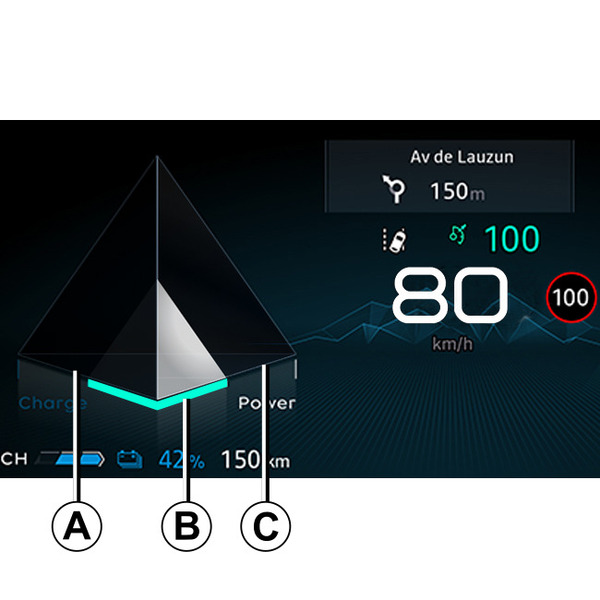
(on the instrument panel)
The charge meter gives you a real-time view of the energy consumed or recovered when the vehicle is moving.
"Energy recovery" A usage zone
When driving, if you lift your foot off the accelerator pedal or press the brake pedal, the motor generates electrical current during deceleration, and this energy is used to slow down the vehicle and recharge the traction battery Regenerative braking system.
"Optimal" B use zone
Indicates economical driving, balanced between recovery and energy expenditure.
"Energy consumption" C usage zone
The traction battery supplies the electrical energy required for the motor to move the vehicle.
tip
The presence and display of this information depends on the ambient setting selected Displays and indicators.
Journey record
On equipped vehicles, once the engine is switched off, a "Journey log" is displayed on the multimedia screen 3. This log shows the information relating to your last journey:
- your average energy consumption;
- the number of miles/kilometres travelled;
- an overall grade taking into account acceleration, braking anticipation and your skill in managing speed;
- advice to enable you to improve your rating.
Please refer to the multimedia instructions for further information.
Navigation system
Using the information available on your navigation system (traffic information, nearest charging station, etc.) makes it easy to manage your journey and optimise charging times.
Save mode
Save mode is a function that can help you reduce consumption and increase range by acting on the vehicle's performance (reduced acceleration, maximum speed, etc.).
tip
Save mode also affects the performance of the air conditioning when the air conditioning "Eco" setting is activated DRIVE MODE.
Activation/deactivation from the multimedia screen 3
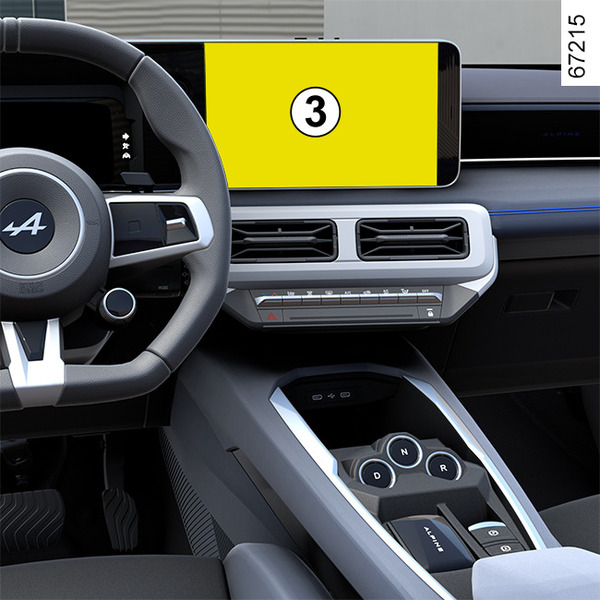
Depending on the vehicle, you can activate or deactivate the function from the DRIVE MODE menu.
Please refer to the multimedia instructions for further information.
Activation/deactivation using the switch 4
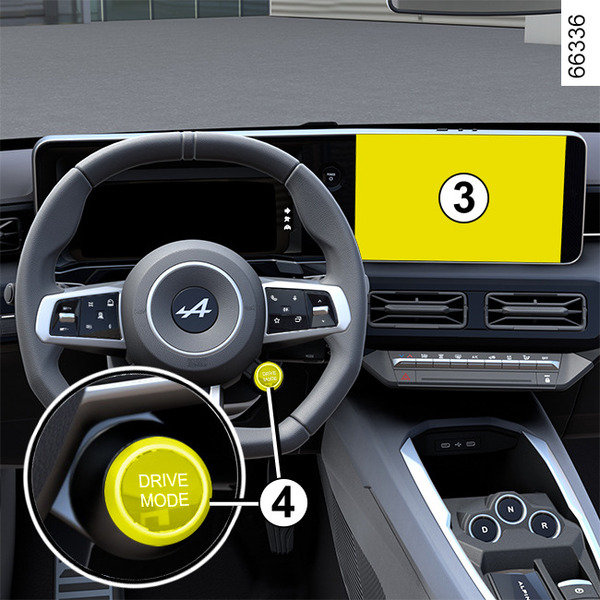
Depending on the vehicle, press the switch 4 as many times as required to reach Save mode.
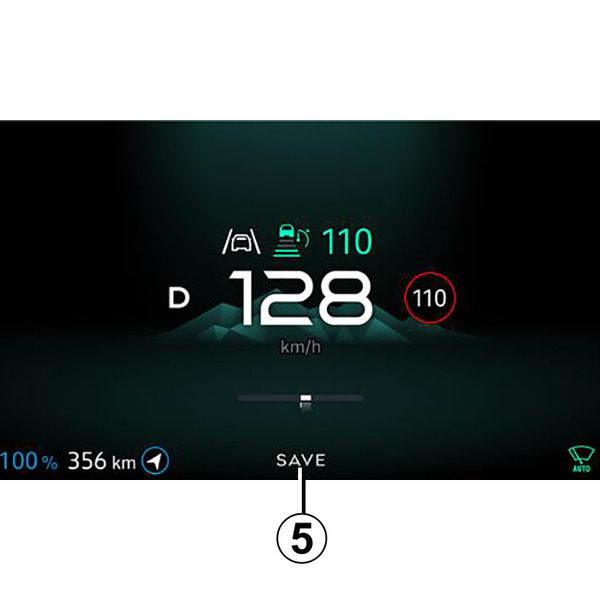
tip
With Save mode activated, the Save warning light 5 is displayed on the instrument panel. The vehicle speed is limited to approximately 81 mph (130 km/h).
While driving, it is possible to exit Save mode temporarily in order to improve engine performance.
To do this, press the accelerator pedal firmly and fully. Save mode is reactivated when you take pressure off the accelerator pedal.