ALPINE MULTIMEDIA SYSTEM
" SMS " menu
From the main menu, press "Telephone" or press the shortcut A from most menus, then "SMS" to access the SMS on your phone via the multimedia system.
Your telephone must be connected to the hands-free phone system. You must also authorise the transfer of messages (using your phone settings, depending on the model) in order to use all of its functions.
Note: only SMS can be read via the multimedia system. Other types of message may not be read.
tip
Depending on the make and model of your phone, certain functions may not work.
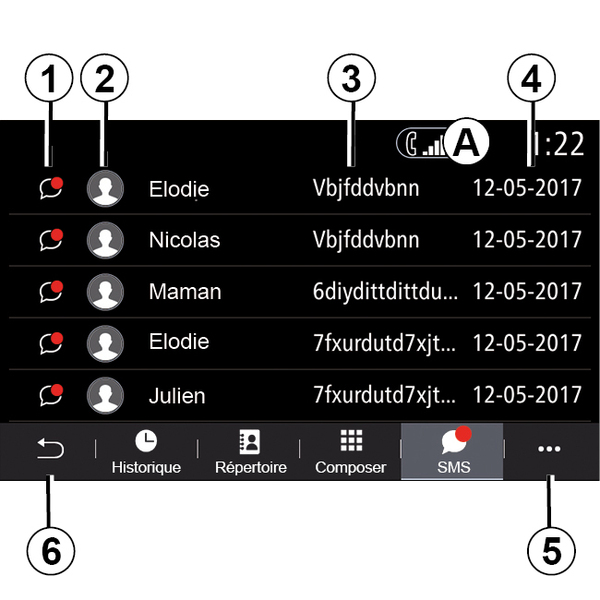
"SMS" screen
- 1.
Message status. Read/Unread.
- 2.
Name/number of the sender of the message.
- 3.
Start of the message.
- 4.
Date received.
- 5.
Pop-up menu.
- 6.
Back to previous page.
Receiving SMS

The multimedia system informs you that a new SMS has been received, via a warning message at B that is shown in any menu that is open.
By default, after pairing and the telephone connection, when a new message is received, it will be available on the multimedia system.
Note: only the messages received after pairing and while the phone is being connected to the multimedia system will be available.
Reading SMS

During driving, the SMS can be read by the multimedia system's synthetic voice by pressing "Play" 7 or you can return the contact's call by pressing the "Call" button 10.
While the vehicle is stationary, the multimedia system can be used to open SMS by pressing "Message" 8 or to respond to SMS by pressing "Reply" 9 and to view the SMS details.
SMS details
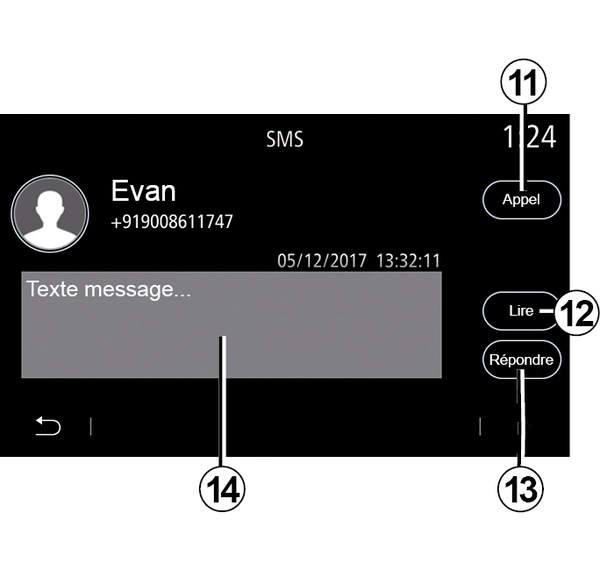
You can call the contact directly by pressing the "Call" button 11 if the number is saved in the memory or in the phonebook.
You can make the multimedia system's synthetic voice read out the SMS message in zone 14 by pressing the "Play" button 12, or reply by pressing the button 13.
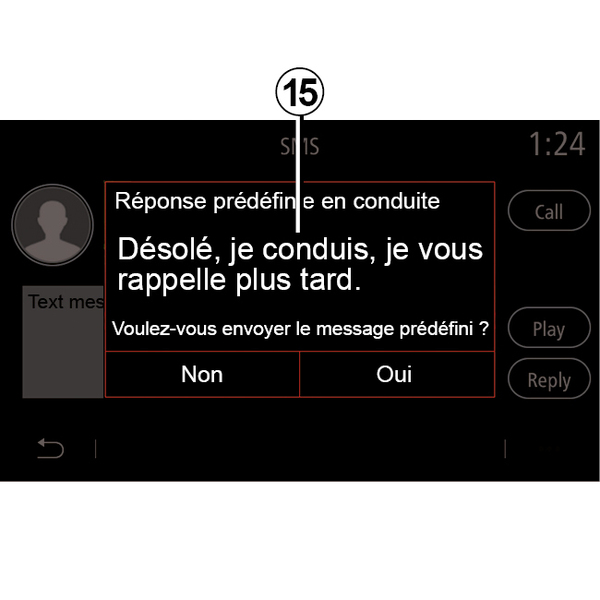
Note: during driving, the multimedia system suggests that you send a preset message 15.