A290
Map reading lights
Front reading lights
(depending on the vehicle)
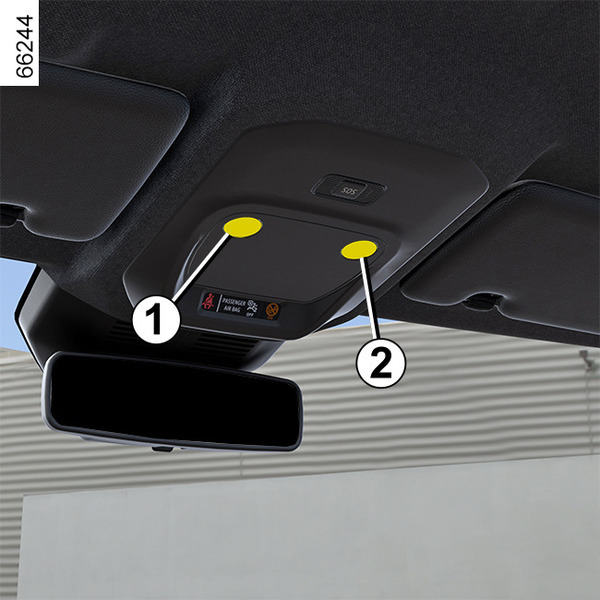
Touch light 1 or 2 to activate:
- permanent lighting;
- lighting switches off immediately.
Note:
- It is not necessary to press the lights to activate or deactivate the lighting. You only need to make contact;
- you can deactivate/activate the illumination of the reading lights when the doors are opened from the multimedia screen Vehicle settings personalisation menu.
Rear map reading lights
(depending on the vehicle)
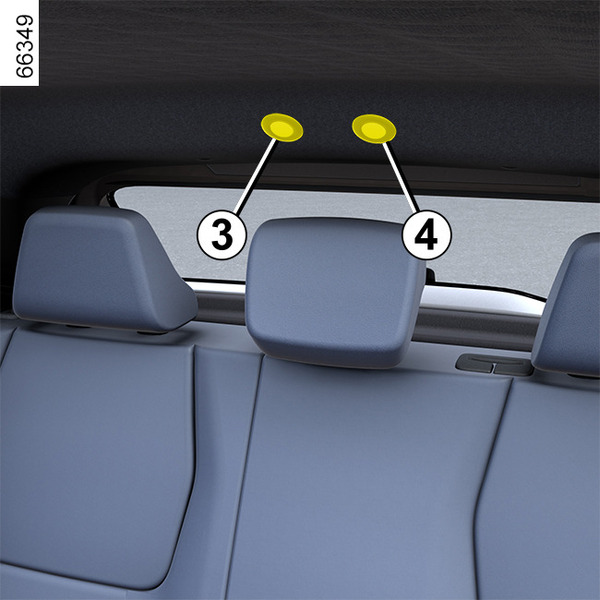
Touch the reading lights 3 or 4 for:
- permanent lighting;
- lighting switches off immediately.
Note:
- It is not necessary to press the lights to activate or deactivate the lighting. You only need to make contact;
- you can deactivate/activate the illumination of the reading lights when the doors are opened from the multimedia screen Vehicle settings personalisation menu.
tip
When the doors are unlocked and opened, the courtesy and footwell lights come on temporarily.
Luggage compartment light
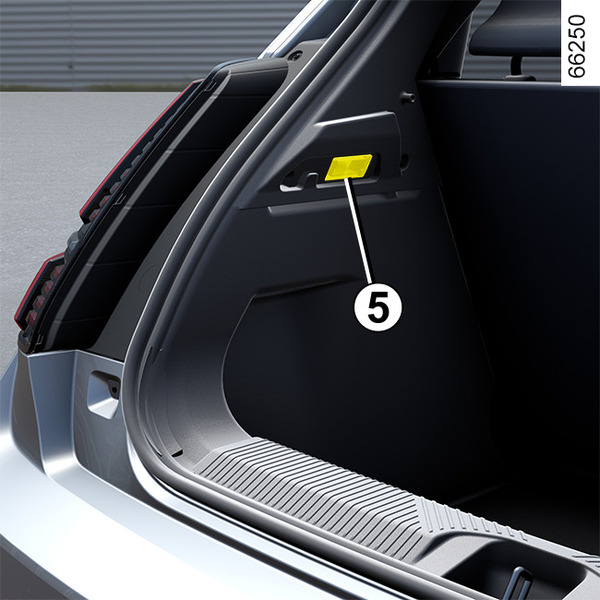
The light 5 comes on when the luggage compartment is opened.