ALPINE PORTAL
" Electric " menu
warning
For safety reasons, carry out these operations when the vehicle is stationary.
tip
Some settings are only available while the vehicle is stationary.
From the "Vehicle" world
 , you can access the "Electric" menu.
You can use this menu to view and adjust the functions related to your electric vehicle.
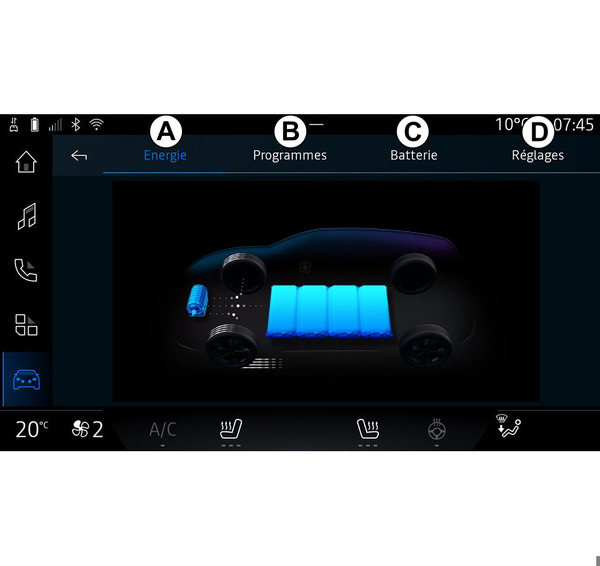
From the "Electric" menu you can access the following tabs:
« Energy »
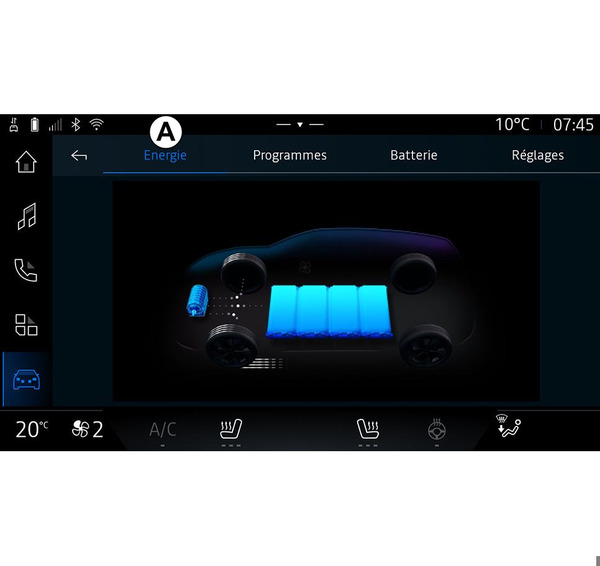
From the "Energy" tab A, the multimedia system enables you to view the vehicle's energy flows.
Note: the information may vary depending on the engine of your electric vehicle.
« Programmes »
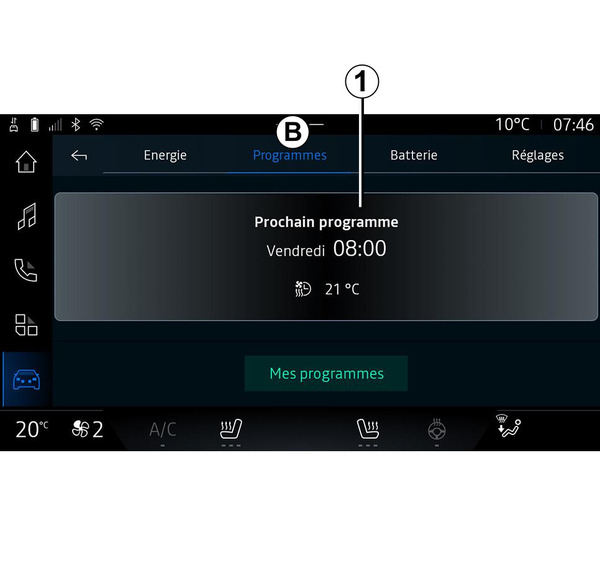
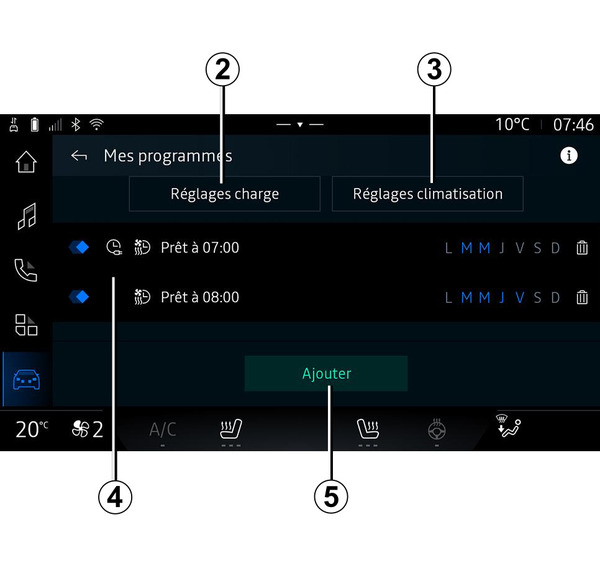
If no other program has been set, you can set your vehicle comfort and/or charging program from the "Programmes" tab B, then "My programs" or "Add".
From this menu you can view and adjust:
- information about the "Next program" 1;
- the time setting in relating to charging programs 2;
- the heating comfort setting related to air conditioning programs 3;
- list and settings of stored "My programs" 4;
- "Add" a schedule 5.
For more information on the various "Programmes" functions, press the "Information" icon
 .
.
After adding a program, you can view information on the upcoming "Next program" 1 from the "Programmes" tab B.
Note: charging will start if the engine is shut down, the vehicle is connected to a power supply and access is authorised. Please refer to the vehicle user manual for further information.
"Add" a schedule
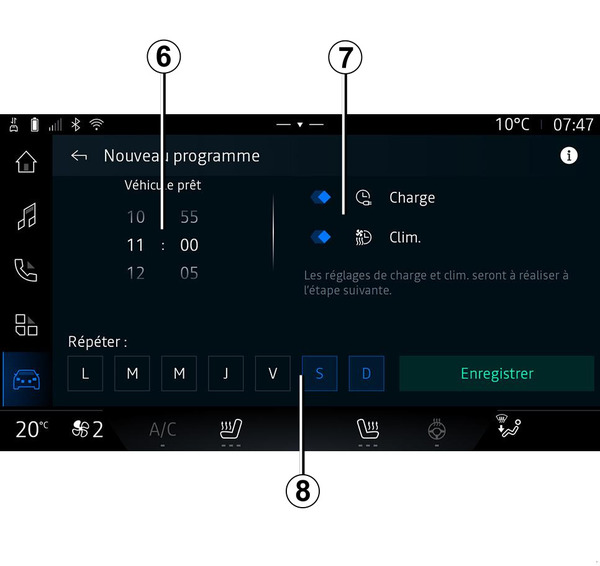
You can store up to three schedules.
To add a schedule, press "Add" 5, then set up the following:
- the time at which the air conditioning program must be ready and/or the V2G function must be stopped 6;
- type of schedule, if it is a charging and/or climate control schedule 7;
- the day(s) of the week on which you wish to apply the schedule 8.
Press "Save" to confirm.
« Charge settings » 2
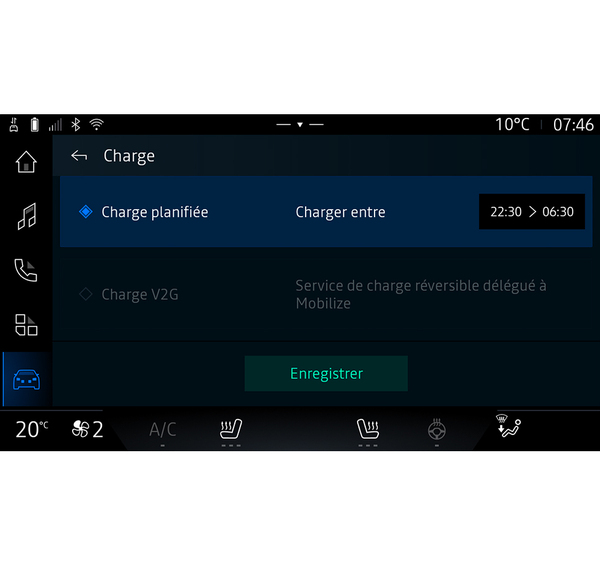
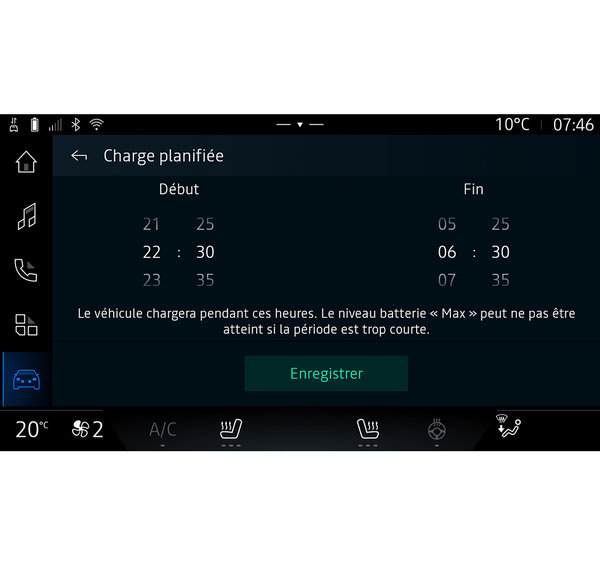
From "Charge settings" 2, you can:
- activate/deactivate "Scheduled charge" by choosing the charging start and end time, then press "Save" to confirm;
or
- activate/deactivate the "V2G charge" service (depending on equipment). This service redistributes the energy stored in your electric vehicle's battery to your home and to the power grid. You must have a compatible two-way AC charging terminal and have subscribed to the service. See the "Mobilise" offer on the approved dealer's website. For further information, please contact your approved dealer. This function is also available from your smartphone via the "My Alpine" app.
Note:
- if the start and end times are identical, the schedule will last 24 hours;
- the "Max" battery level may not be reached if the charging schedule period is too short;
- you cannot confirm a charging schedule if you do not select a day of the week.
« Climate Settings » 3
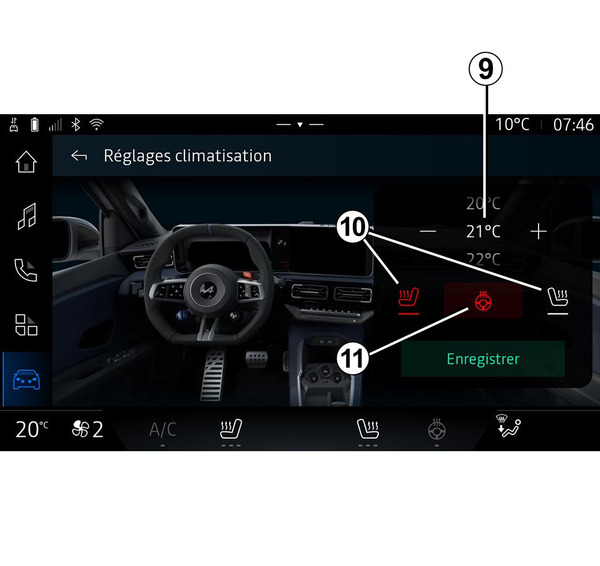
From "Climate Settings" 3, adjust the heating comfort temperatures:
- of the passenger compartment 9;
- of the heated seats 10;
- of the heated steering wheel 11.
Press "Save" to confirm.
Setting the days 8
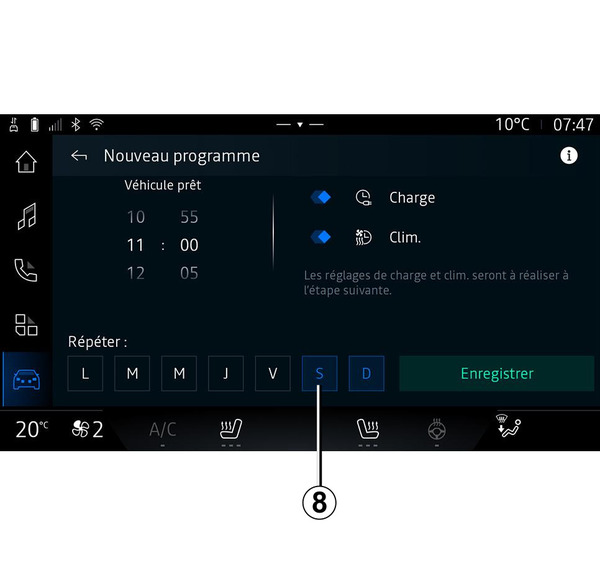
Select the days 8 for which you wish to apply the schedule.
When the day is highlighted, this indicates that it is selected.
Press "Save" to confirm.
« My programs » 4
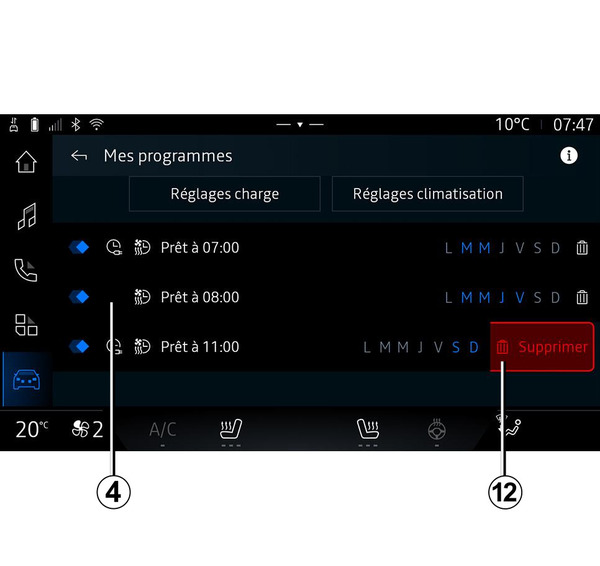
From the list 4, you can see an overview of all the active charging and/or heat level schedules.
Press one of the programs to view, modify or delete.
You can delete a program by pressing the bin icon 12 for the program to be deleted.
« Battery »
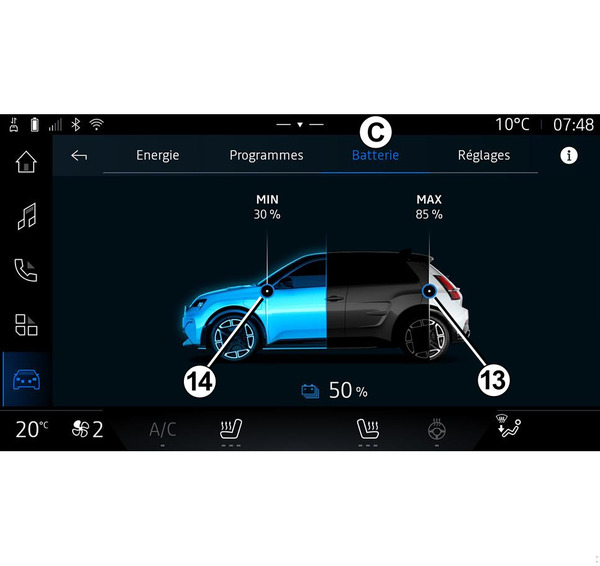
From the "Battery" C, you can configure:
- the maximum charge level of your vehicle's battery, by moving button 13;
- the minimum level of your vehicle's battery that must not be exceeded when using the "V2G charge" and "V2L" function, by moving the button 14.
The "V2L" (Vehicle to Load) function allows you to connect electrical devices directly to the vehicle. Please refer to the vehicle user manual for further information.
« Settings »
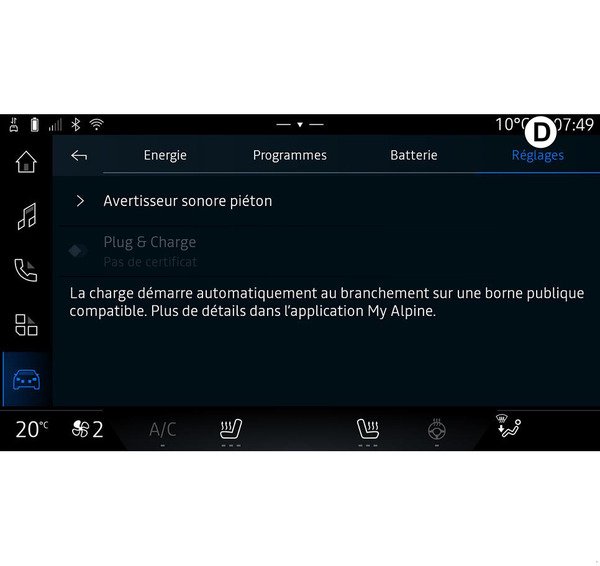
- « Pedestrian warning sound » ;
- ...
« Pedestrian warning sound »
When driving, you can choose the sound of the pedestrian horn to warn other road users, especially pedestrians and cyclists, of your presence.
For further information on the pedestrian horn, please refer to the "Electric vehicle" section in the vehicle user manual.
"Plug & Charge"
You can activate/deactivate the "Plug & Charge" function, which allows you to charge your vehicle at certain public charging terminals immediately after plugging in the charger. You must have previously taken out a charging contract at public charging stations and activated the "Plug & Charge" option via your "My Alpine" account. See the "Mobilize Charge Pass" offer on the "My Alpine" app or on the approved dealer's website.
For further information, please contact an approved dealer.