A290
Introduction
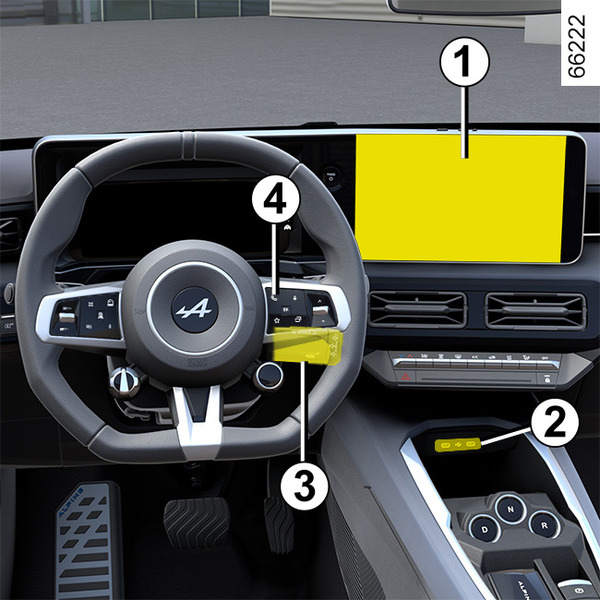
The presence and location of this equipment depends on the vehicle version.
- 1.
Multimedia screen.
- 2.
USB-C multimedia ports on the centre console.
- 3.
Steering column control.
- 4.
Voice command.
tip
Please refer to the multimedia instructions for further information.
"USB-C" multimedia ports
The USB-C multimedia ports 2 can be used to charge accessories with a maximum power of 15 Watts (5 Volts) per port.
Note: the USB-C multimedia ports 2 can also be used to transfer data.
warning
Connect accessories with a maximum power of 15 Watts only.
Fire hazard.
Microphone 5
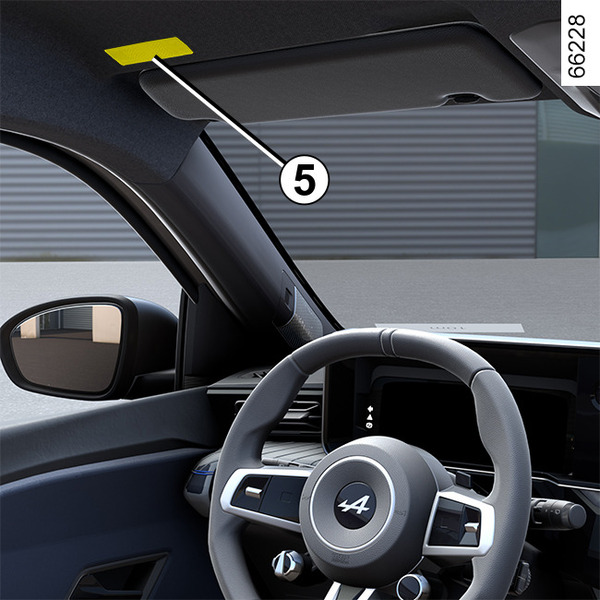
(For the telephone and voice assistant)
warning
Using the telephone
We remind you of the need to conform to the legislation in force concerning the use of such equipment.
Induction charging area 6
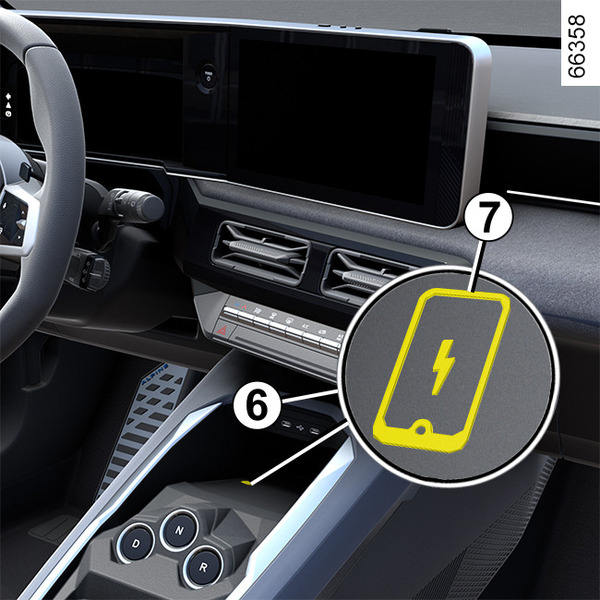
Depending on the vehicle, the 7 symbol is present to indicate that you can use place your phone in zone 6 to charge it without using a charging cable.
For more information on the wireless charger, please refer to the multimedia instructions.
tip
Depending on the country and the subscription, the induction charging zone is also the placement zone for smartphones equipped with a digital key Digital key.
tip
It is essential not to leave any objects (start-up card, USB drive, SD card, credit card, jewellery, keys, coins, etc.) 2 in the induction charging zone when charging your phone. Remove any magnetic cards or credit cards from the phone case before positioning your telephone in the induction charging area 2.
tip
Objects left in the induction charging area 2 may overheat. You are advised to place them in the areas provided for this purpose (storage compartment, sun visor compartment etc.).
tip
Please refer to the multimedia instructions for further information.