Rear headrests

<?xml version="1.0" standalone="yes"?>

Position for use

Lift the headrest fully until it locks. Check that it is correctly locked.

To remove the headrest

Chapter

Front seats

<?xml version="1.0" standalone="yes"?>

Front seats with manual control

To move the seat forwards or back

Raise the handle 1 to unlock. Release the handle at the desired position and make sure that it is locked.

Chapter

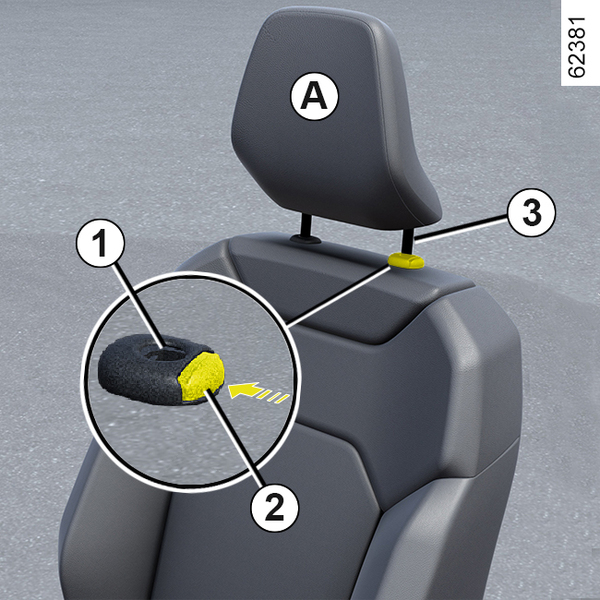
Front headrests

<?xml version="1.0" standalone="yes"?>

To raise the headrest

Pull the headrest upwards to the desired height. Check that it is correctly locked.

Chapter

Facial recognition

<?xml version="1.0" standalone="yes"?>

Operation

After saving your profile from the multimedia system 1, you can recall the driver's user settings using facial recognition once you are in the vehicle.

Chapter

Luggage compartment

<?xml version="1.0" standalone="yes"?>

Opening/Closing

Opening

Press button 1 and open the luggage compartment door.

Chapter

Automatic locking when driving

<?xml version="1.0" standalone="yes"?>

Operating principle

After the vehicle is started, the system automatically locks the doors when you reach approximately 6 mph (10 km/h).

The door can be unlocked:

Chapter

Opening and closing the doors

<?xml version="1.0" standalone="yes"?>

Opening from the outside

Front doors

With the doors unlocked or the card on you, hold the handle 1 and pull it towards you.

Chapter