A390
Operation

After saving your profile from the multimedia system 1, you can recall the driver's "user" settings (driving position, etc.) using facial recognition once you are in the vehicle.
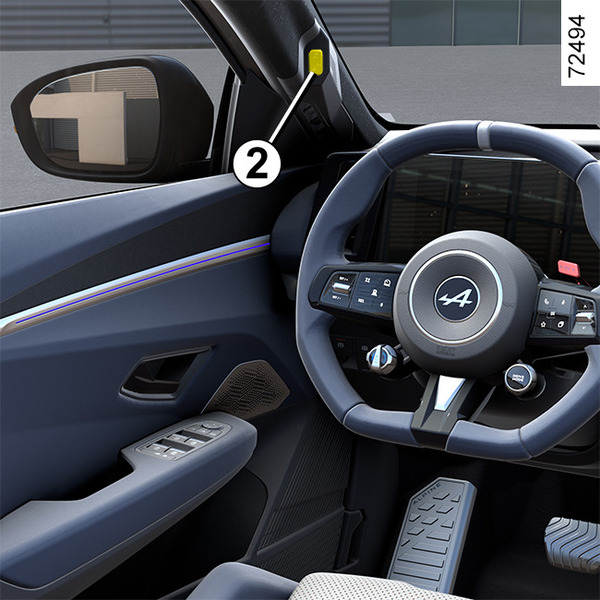
When the driver's door is closed, as soon as the interior camera 2 detects your face and associates it with the face image linked to the "user" profile you have saved, the pre-stored settings are then activated (driving position, connection to your phone, calendar, etc.).
Note: make sure that the camera is not obscured (by dirt, condensation, etc.) or covered.
Managing the user profile
warning
For safety reasons, carry out any adjustments while the vehicle is stationary.
After creating a user profile or updating the face image, please wait about 30 seconds after closing the door for the multimedia system to take the new information into account.
Note: it is not possible to register the same face on several profiles.
For more information on managing the user profile and storing the profile using facial recognition, please refer to the multimedia user manual.
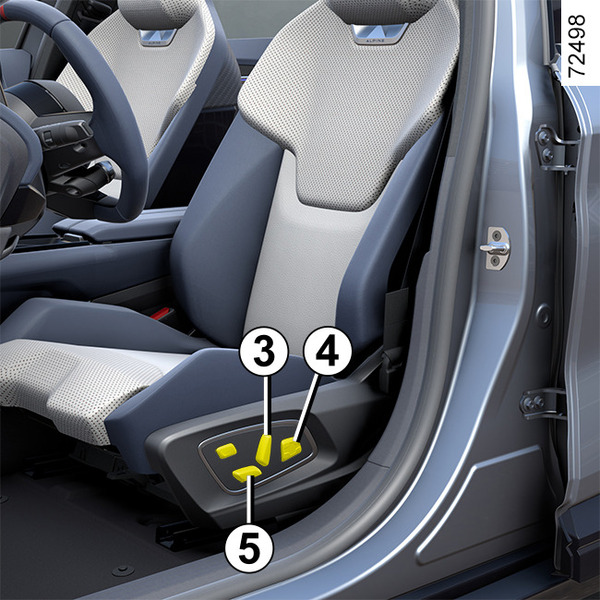
If you have previously activated the driving position recall from your "user" profile, the seat automatically starts to move as soon as your face is recognised, in order to adopt the memorised position.
warning
When the seat is moving into position, you can interrupt it by pressing one of the seat adjustment buttons 3, 4 or 5. Remain vigilant.
Limitations of the system operation
Certain conditions may hinder the system's operation, for example:
- when wearing certain types of glasses;
- if the camera is obstructed, even partially;
- if part of the driver's face is hidden (by hair, a surgical mask, scarf, etc.);
- an unsuitable driving position (such as sitting too low, leaning to far back, etc.) that can prevent the camera from properly analysing the face;
- if wearing reflective clothing;
- ...
In such cases, if the face image is not recognised by the camera 2 during facial recognition, by default the system suggests the last profile used.