A290
Introduction
warning
This function is an additional driving aid in case of risk of fatigue. The function does not operate on the vehicle. The function cannot, under any circumstances, replace the driver's responsibility during driving.
The driver must always adapt their driving according to their alertness, regardless of the system's indications.
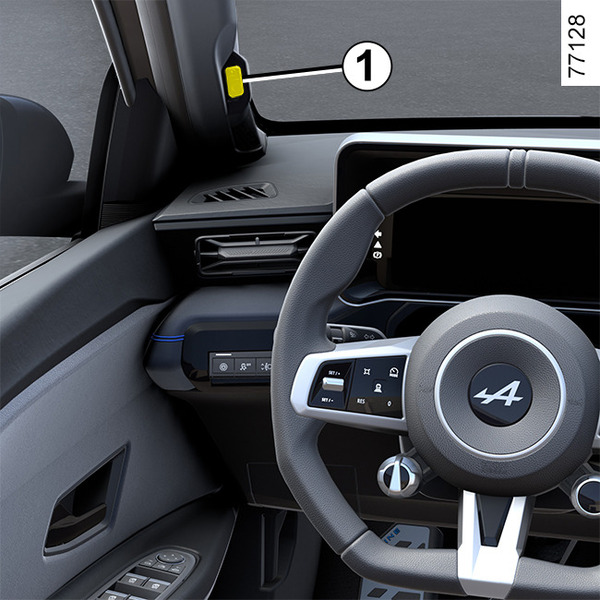
The system analyses the behaviour of the driver's face using the interior camera 1 and emits a warning if there is a risk of the driver falling asleep.
Note: the system does not record any images and operates in real time.
Location of the camera 1
Make sure that the camera is not obscured (by dirt, mud, etc.) or covered.
Operation
tip
The system continuously monitors the driver's attention and can issue several warnings during a journey.
tip
Every time the engine is started or when changing drivers, the system settings reset after a few minutes.
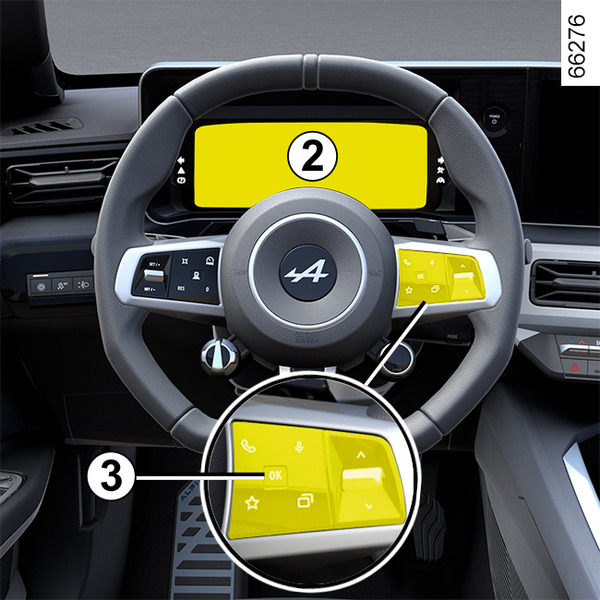
The function is set to notify the driver if:
- a few minutes have elapsed since the vehicle last stopped;
- the vehicle speed is above approximately 12 mph (20 km/h).
If there is a risk of fatigue, the "Think to have a break" message is displayed on the instrument panel 2 accompanied by a beep.
If the driver falls asleep, the "Fatigue warning Have a break" message is displayed on the instrument panel 2 accompanied by a beep.
It is advisable to stop as soon as possible and take a break.
Press the switch 3OK to clear the warning displayed on the instrument panel. After the message is deleted, the system continues to monitor fatigue and issues a new warning if necessary
Activation/deactivation
warning
For safety reasons, carry out any adjustments while the vehicle is stationary.
tip
Depending on the vehicle and on the length of time following the last time the engine was stopped, the alerts are reactivated:
- when the vehicle is unlocked;
or
- when a door is opened;
or
- when the engine is started.
tip
Depending on the vehicle, it may not be possible to deactivate alerts.
Depending on the vehicle, the warnings can be activated or deactivated using:
- the "My Safety" button;
- the multimedia screen.
Activating, deactivating alerts using the 4 "My Safety" button
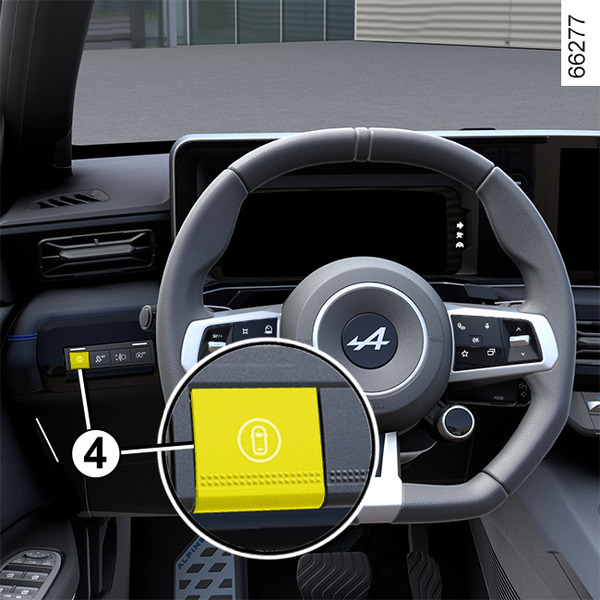
The alerts can be deactivated or activated using "Perso" mode in the "My Safety" function My Safety.
If the alerts have previously been deactivated using "Perso" mode:
- to deactivate the alerts, press the button 4 twice in succession. The indicator light on the button 4 goes out;
- to reactivate the alerts, press the button 4 once. The indicator light on the button 4 comes on.
Activating and deactivating the alerts from the multimedia screen 5
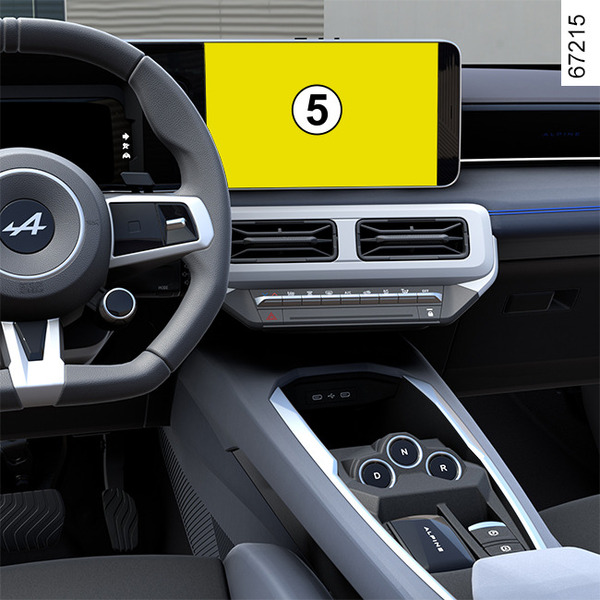
To activate or deactivate the alerts, please refer to the multimedia instructions.
Select "ON" or "OFF".
Limitations of system operation
Certain conditions may hinder the system's operation, for example:
- when wearing certain types of glasses;
- if the camera is obstructed, even partially;
- if part of the driver's face is hidden (by hair, a cap, surgical mask, scarf, etc.);
- an unsuitable driving position (such as sitting too low, leaning too far back, etc.) that can prevent the camera from properly analysing the face;
- ...
In these conditions, the system may either not trigger a warning or it may trigger untimely or false warnings.
Operating faults
If the system detects an operating fault, the message "Vigilance monit. to check" or, depending on the vehicle, "Attention monitoring unavailable Face not detected" accompagné du témoin
 appears on the instrument panel.
Check that the camera is clean and/or remove any face-covering accessories. Make sure you are seated correctly.
If there is still a problem, contact an approved Dealer.