ALPINE PORTAL
Introduction
warning
For safety reasons, carry out any adjustments while the vehicle is stationary.
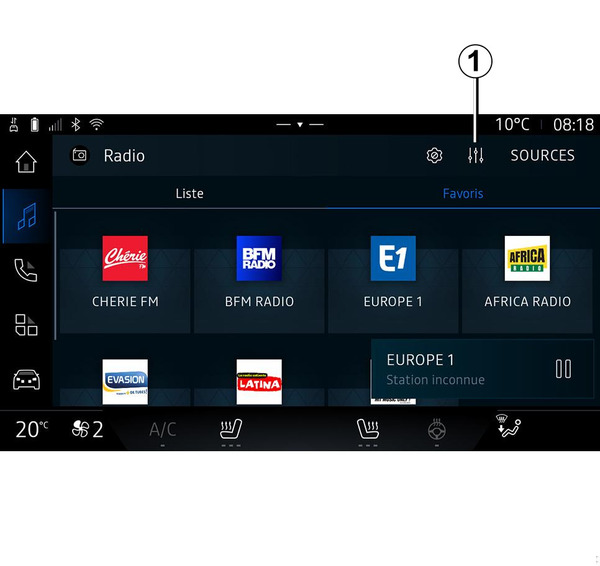
From the icon 1 you can adjust the following audio settings:
- « Ambiance » ;
- « Sound ».
« Ambiance »
« Sound »
« Balance / Fader »
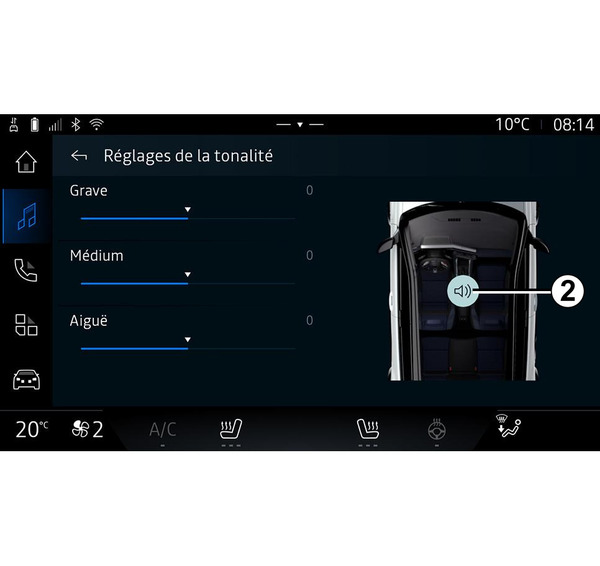
This function sets the sound distribution balance. Press "Centred" or "Front" to optimise the sound distribution for all the vehicle occupants or for the comfort of rear passengers (audio muted in the rear and moderate volume at the front of the vehicle).
When you touch the screen or when "Manual" is selected, you can then change the settings by moving the target 2.
« Tone control »
This function can be used to equalise the audio:
- activate/deactivate "Subwoofer";
- « Bass » ;
- « Medium » ;
- « Treble » ;
- ...
The "Subwoofer" mode optimises sound elements to create an immersive audio experience within the vehicle.
« Volume / Speed »
This function can be used to automatically adjust the volume level according to the vehicle speed. Press "Volume / Speed", then adjust the sensitivity or deactivate it by pressing directly on the "Volume / Speed" level bar.
« Normalise volume »
This function can be used to maintain a constant sound volume from one audio source to another.