A390
Front seats with electric controls

It is fitted to the driver's seat.
Use switch 1 to access the "Seats" menu on the multimedia screen.
Adjusting the seatback
To tilt the seatback, move the top of switch 2 forwards or backwards.
Adjusting the lumbar support on the driver’s seat
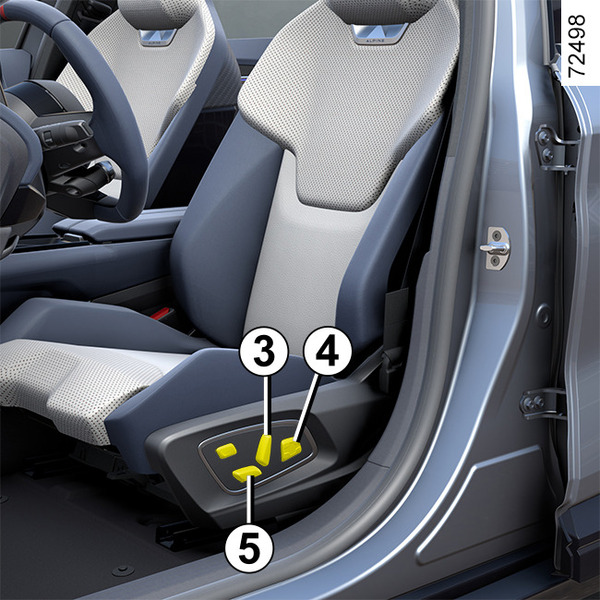
Move the switch 3 forwards, backwards, upwards or downwards.
Adjusting the seat position

To move the seat forwards or backwards
Move the switch 4 forwards or backwards.
To raise or lower the seat base
Move the rear of the switch 4 upwards or downwards.
To tilt or raise the front part of the seat base (depending on the vehicle)
Move the front of switch 4 downwards or upwards.
warning
For safety reasons, carry out any adjustments while the vehicle is stationary.
We would advise you not to recline the seatbacks too far to ensure that the effectiveness of the seat belts is not reduced.
Nothing should be placed on the floor (area in front of the driver) as these objects may slide under the pedals during sudden braking manoeuvres, thus obstructing their use.
Heated seats
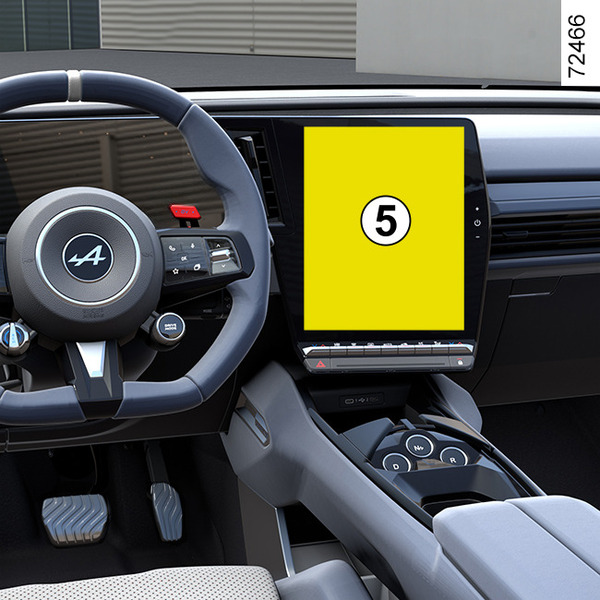
Depending on the vehicle, with the ignition on, you can activate the heated seats via the multimedia screen 5:
- pressing the
 pictogram on the required seat for the first time activates the heating system at maximum power. Three switch-integrated warning lights are illuminated;
 - a second press decreases the heating to medium power. Two integrated warning lights are illuminated;
- a third press decreases the heating to minimum power. One integrated warning light is illuminated;
- a fourth press turns the heating off.
In order to avoid unnecessary energy consumption, the heated passenger seat can be deactivated automatically in the absence of an occupant.
"Favourites" function
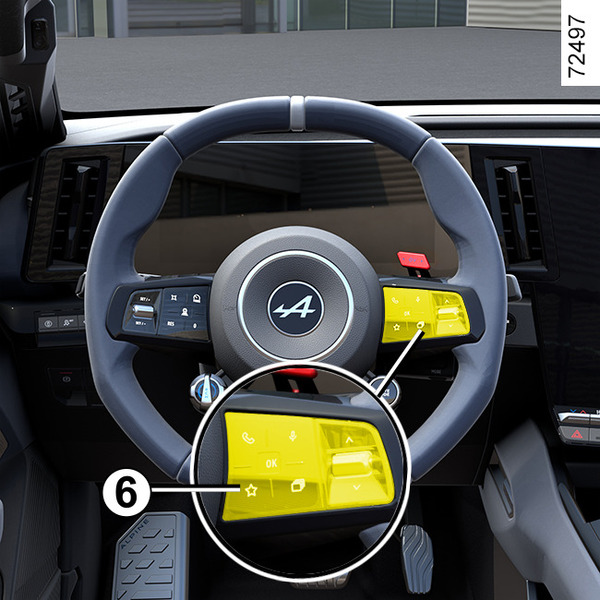
Depending on the vehicle, by pressing the steering wheel control 6, you can activate the heated seats according to the stored user settings that you have previously defined.
For more information on programming this function, please refer to the multimedia instructions.
Front seats: functions

A number of seat functions are available from the multifunction screen, depending on the vehicle.
Briefly press the switch A of the desired seat to directly access the "Seats" menu on the multimedia screen.
Massage seats
(depending on the vehicle)

You can activate the "Massage" function for the driver's seat or, depending on the vehicle, for the front passenger seat.
With the ignition on, from the multimedia screen select the "Vehicle" world 1, then "Seats" followed by "Massage".
Browse the "Driver" menu for:
- select your massage mode among five options;
- adjust the intensity to three levels: 1, 2 or 3;
- activate/deactivate the massage seat.
Press and hold the switch A on the relevant seat to restart the previous massage cycle.
Settings
Refer to the multimedia instructions for information on accessing the settings.
You can activate or deactivate the following elements:
- easy driver/passenger access;
- visual feedback of current movement.
Note: if the user profile is "Guest", the automatic adjustment functions will not be available.
Seat Easy access
When the function is activated:
- the driver's seat, with the vehicle stationary:
- moves backwards when the door is opened (if the engine is off) or when the engine is switched off (if the door is open);
- advances when the engine is started (if the door is closed) or when the door is closed (if the engine is running);
- the passenger seat moves backwards when the door is opened and advances when the door is closed.
The seats move automatically. You can interrupt the movement by pressing one of the seat adjustment buttons 3, 4 and 5.
warning
Deactivate the "Seat Easy access" function before installing a child seat on the front passenger seat and/or on the rear seats.
Risk of injury.
Position
It is possible to save the driving position for the driver's seat and/or passenger seat.
The driving position includes the settings for the seat base and seatback as well as the exterior rear view mirrors.
From the multimedia system, you can store and recall the driving position by pressing buttons 3, 4 and 5 (Front seats with electric controls):
- by changing the user profile;
- by pressing the "Recall" button for the driver's seat.
Storing your driving position
- Adjust the driver's seat using buttons 3, 4 and 5 Front seats with electric controls;
- adjust the door mirrors Rear view.
Refer to the multimedia instructions for information on accessing the stored driving position.
The positions of the door mirrors mirrors when driving forwards, in reverse and of the driver seat are saved.
Recalling the driving position
For more information on storing the driving position, please refer to the multimedia instructions.
You can interrupt the stored driving position reminder by pressing one of the seat adjustment buttons 3, 4 and 5.
« Relax position »
With the vehicle stationary, you can move back and tilt the driver's seat to enable a relaxing seating position while taking a break. To do this press "Activate".
You can interrupt the movement in progress by pressing one of the seat adjustment buttons 3, 4 and 5 or via the multimedia screen by pressing "Return to the driving position".
Note: while the vehicle is charging, a message is automatically displayed on the multimedia screen to ask if you would like to activate the position. During activation, you can access the "Relax position" settings;
For further information on the "Relax position", please refer to the multimedia instructions.
warning
Before using "Relax position" or recalling a driving position (position memory, changing the profile), ensure that nobody is near any of the moving parts (especially on the rear seats).
Risk of injury.